



3D Stisk
Home
Services

    Brands

    Videos

    Bambu Lab Hotend with Nozzle - X1 / P1
    Bambu Lab
    Hotend with Nozzle - X1 / P1

    from €24,56


    Bambu Lab Anti-Vibration Feet 4 pcs
    Bambu Lab
    Anti-Vibration Feet 4 pcs

    SALE €250,84

    €8,16

    €259,00


    Bambu Lab P1P and P1S upgraded LED lighting
    Bambu Lab
    P1P and P1S upgraded LED lighting

    SALE €290,84

    €8,16

    €299,00


    Bambu Lab X1/P1P PET-PEI print plate
    Bambu Lab
    X1/P1P PET-PEI print plate

    SALE €674,44

    €24,56

    €699,00


    Bambu Lab X1/P1 PEO-PEI build plate
    Bambu Lab
    X1/P1 PEO-PEI build plate

    SALE €674,44

    €24,56

    €699,00


    Bambu Lab P1S
    Bambu Lab
    P1S

    SALE €17008,91

    €471,09

    €17480,00


    Bambu Lab X1 Carbon
    Bambu Lab
    X1 Carbon

    SALE €33888,41

    €901,59

    €34790,00


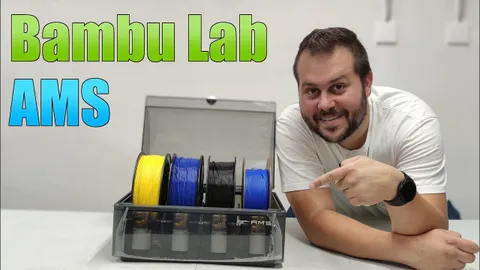
    Bambu Lab AMS
    Bambu Lab
    AMS

    €409,59


    Bambu Lab P1S Combo with AMS
    Bambu Lab
    P1S Combo with AMS

    SALE €27332,81

    €557,19

    €27890,00


    Bambu Lab X1 Carbon Combo with AMS
    Bambu Lab
    X1 Carbon Combo with AMS

    SALE €42940,81

    €1049,19

    €43990,00


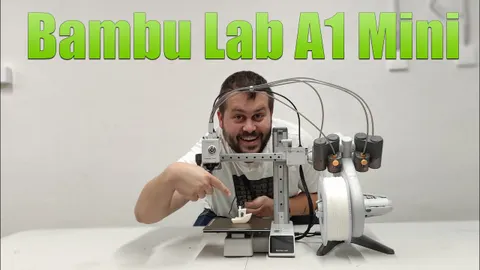
    Bambu Lab A1 Mini Combo
    Bambu Lab
    A1 Mini Combo

    SALE €14650,11

    €339,89

    €14990,00


    Bambu Lab LED Lamp Kit 001
    Bambu Lab
    LED Lamp Kit 001

    €24,56


    Articles

    What is Bambu Lab Slicer Bambu Studio and how to use it?

    Bambu Studio is software based on PrusaSlicer by Prusa Research, which is based on Slic3r created by Alessandro Ranellucci and the RepRap community. Bambu Studio is modern, feature-rich software for preparing files for 3D printing, developed by Bambu Lab. It includes project-oriented workflows, systematically optimized slicing algorithms, and a user-friendly graphical interface, ensuring users a smooth printing process […]

    Tips for printing with engineering materials such as ABS, ABS-GF, ASA, PC, PA, PA-CF/GF, PAHT-CF, PET-CF, PPA-CF, PPS-CF, etc.

    Common problems When printing with engineering materials such as ABS, ABS-GF, ASA, PC, PA, PA-CF, PA6-CF, PA6-GF, PAHT-CF, PET-CF, PPA-CF, PPS-CF, etc., the following problems may commonly occur: Solutions and recommendations Wet PAHT-CF (left) vs. dry PAHT-CF (right) Wet PA6-GF (left) vs. dry PA6-GF (right) Drying recommendations The recommended drying parameters for each type of filament […]

    Keira Uncategorized

    Bambu Handy Quick Start Guide

    This article provides a brief overview of Bambu Handy and a guide to help you quickly install, set up, and start printing right away. What is Bambu Handy? Bambu Handy is an all-in-one mobile application designed for Bambu Lab 3D printers. It allows you to remotely monitor and manage your 3D printers. Users can also easily start previous projects, make adjustments […]

    P1 Series – Frequently Asked Questions (FAQ)

    Is the P1S chamber actively heated? No. The chamber temperature increases based on the heated bed temperature setting and cannot be precisely regulated. Is a filament buffer required for printing with a single filament? (For the X1 or P1 Series) When printing with a single filament spool, a buffer is not required because the filament spool itself can be considered a ‘buffer’. What […]

    A1 mini FAQ – Questions and Answers

    INTRODUCTION We have divided the FAQ for A1 mini into three sections: product specifications, product features, and product usage. PRODUCT SPECIFICATIONS What materials can A1 mini print? A1 mini is capable of printing a wide range of materials available on the market that do not require an enclosure. These materials include PLA, PETG, TPU, and their corresponding support filaments. It is not recommended to print filaments such as […]

    How to lubricate the Bambu Lab A1 series using WD-40

    Introduction The Y-axis of the A1 series printer uses a metal guide wheel, and this guide rail system ensures that users do not need to frequently adjust the printer’s moving components. However, regular lubrication and cleaning are necessary to reduce wear and noise, ensure the printer’s accuracy and service life, and effectively prevent the guide rail from rusting. Each printer receives a certain amount of lubricant before […]

    Flow Calibration

    Flow Calibration Guide from Bambu Studio Flow Rate About This Calibration Flow calibration measures the ratio between the expected and actual extrusion volume. This ratio is usually stable, and the default settings work well with Bambu Lab printers and official filaments that have been pre-calibrated and fine-tuned. Flow calibration is usually not necessary for regular filaments. It is important to […]

    Keira Slicer

    Nozzle Flow Dynamics Calibration

    Instructions for performing flow dynamics calibration in Bambu Studio What is flow dynamics calibration? From fluid mechanics, we know that when a Newtonian fluid flows through an opening, it requires pressure, and the pressure is proportional to the flow rate. Filament, which is not a rigid body, will be compressed during extrusion to create the necessary pressure. This compression process causes a delay in the response of the actual flow rate, […]

    Keira Slicer

    Remote Control and Monitoring

    This page describes remote control of printers using WAN or LAN mode. Bambu Studio supports full remote control and monitoring of the printer over the network (WAN/LAN). Here are some of the features: Features: Remote Printing Send a print job to the connected printer over the network. Print Job Control Displays the progress of the current print job. Start, stop, or pause your current print job—you have […]

    Keira Slicer

    Information about Bambu Lab A1 Mini

    The Bambu Lab A1 Mini 3D printer is a recent addition to the world of 3D printing, specifically designed to narrow the gap between beginners and professionals by offering a range of high-quality features at a competitive price. Here is a detailed exploration of the Bambu Lab A1 Mini 3D printer: Key features: Design and construction: Performance: User interface and ease of use: Price and availability: […]