What is MMU3?
It is exactly as it sounds—
it is an optional add-on that upgrades your printer so that even with a single extruder, it can print from up to five colors simultaneously. Prusa MMU3 offers the fastest multi-material solution for single-nozzle printing, which also provides excellent quality and minimal waste.
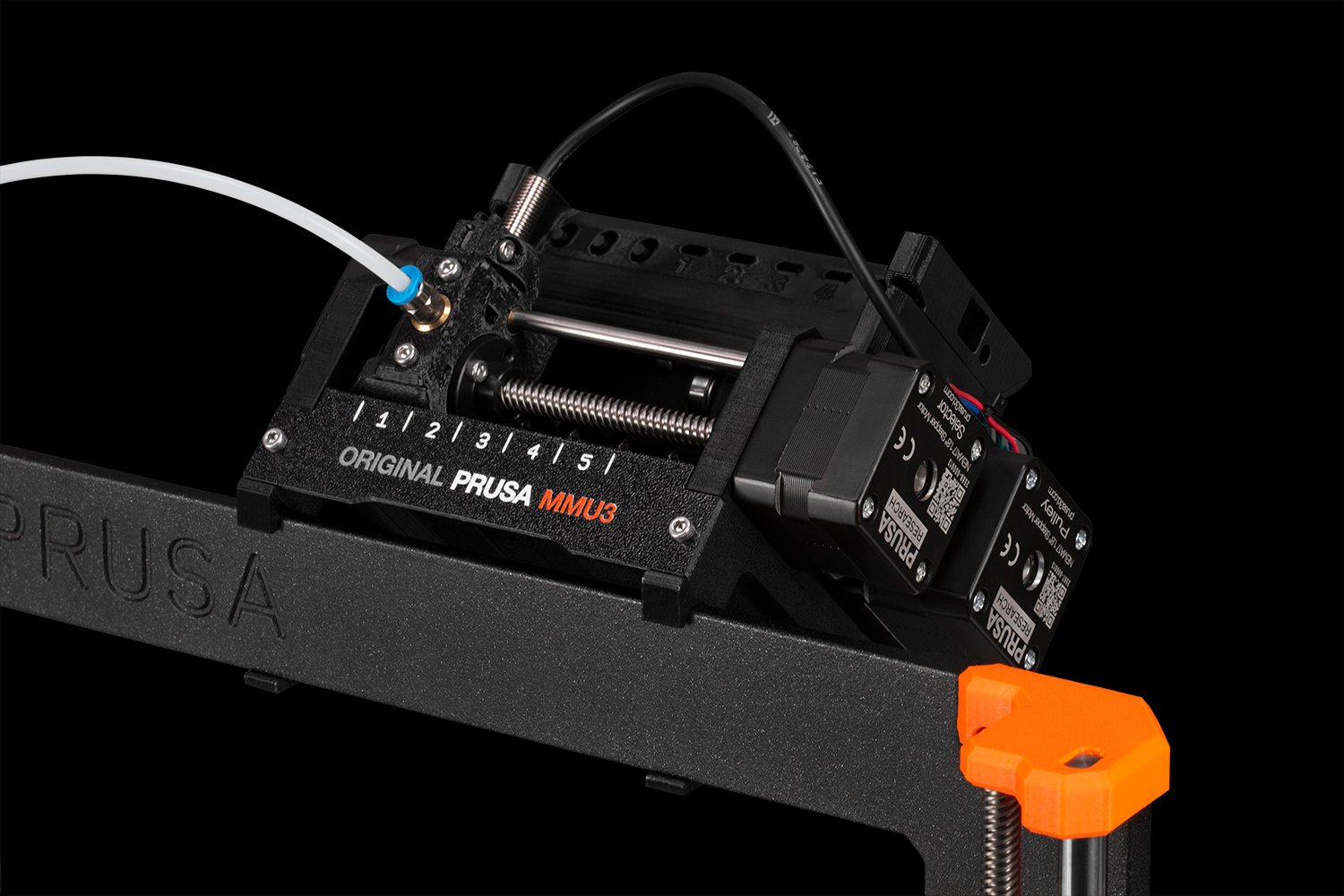
MMU3 contains five separate filament inputs. Simply load up to five colors of your choice into the unit, prepare your model in PrusaSlicer and start printing. The system automatically selects the correct filament using a selector, loads it into the extruder and the printer starts printing. According to the settings in the project, the MMU3 unit automatically selects the correct material and loads it into the nozzle. As soon as it is time to change the material, the MMU3 retracts the current filament, cleans the nozzle with only a minimal amount of waste, loads the new filament and continues printing. MMU3 also allows you to set color changes in given layers, while the unit takes care of the entire color switching process automatically. It is then up to you only to remove the finished model from the print bed after the print is completed.
MMU3 is designed to combine seamless operation and easy maintenance, offering the best possible user experience—the only more advanced solution in this category is the Original Prusa XL printer, which offers up to five independent print heads.
The high-flow nozzle in MK4S allows for faster printing, but when using MMU3, a standard nozzle makes much more sense. Although MMU3 also works with a high-flow nozzle, the increased volumetric flow results in a larger amount of waste filament during printing. Otherwise, put simply: MMU3 provides the best performance, the same speed and the highest efficiency (lowest waste production) in combination with a
standard nozzle on both MK4 and MK4S.
If you order a standalone MMU3 for MK4S, you will receive it along with a standard nozzle. In the MK4S/MMU3 bundle, you will receive both nozzles in the package - standard and high-flow. And for assembled MK4S in a bundle with MMU3, a standard nozzle will be pre-installed on the printer.
Main features
FASTEST MULTI-MATERIAL PRINTING WITH A SINGLE NOZZLE
Thanks to
tuned firmware and
thoughtful design, the MMU3 handles
extremely fast filament changes, which on average take between 35 and 45 seconds. Given that even a single multi-material print can involve thousands of filament changes, every second saved counts and the final difference can reach several hours.
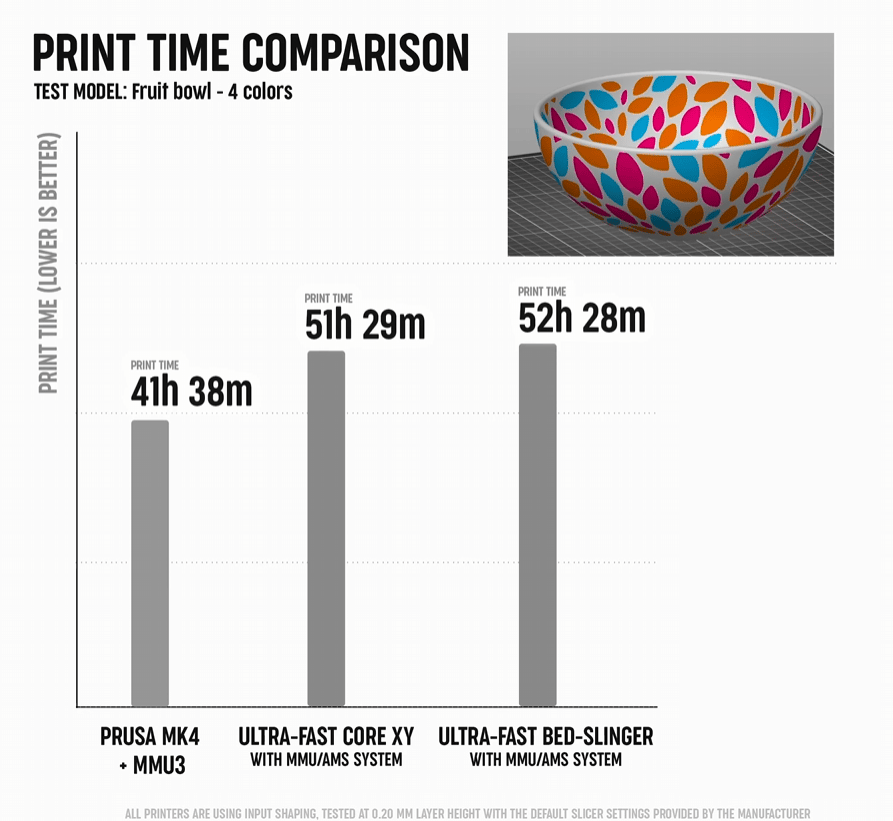
MULTI-COLOR PRINTING ECONOMICALLY AND EFFICIENTLY
With every filament change, it is necessary to purge the nozzle every time to prevent mixing of individual colors. MMU3 uses a smart nozzle cleaning method similar to the *cold pull* technique, which melts the filament just enough to be able to pull it out, taking material residues, dirt and other deposits with it. This ensures a clean color transition with minimal consumption of waste filament, which is extruded into a
purge tower—a compact, partially hollow block next to the printed object, where purging and pressure stabilization in the nozzle occur. All waste filament is thus collected in one place, so you don't have to worry about a mess around the printer.
We offer several ways to
save filament and reduce plastic waste even more. PrusaSlicer provides options such as
wipe into infill, where the infill of the object itself is used instead of the purge tower, or wipe into object, where another entire model serves as the purge tower. The second option will lead to the second print playing with all colors, but if you only need a functional part or plan to paint it later, it is a
great way to minimize plastic waste.
CHT NOZZLE VS STANDARD NOZZLE
The high-flow nozzle in MK4S allows for much faster printing. However, when used with MMU3, a standard nozzle makes more sense. Why is that? Although MMU3 works even with a high-flow nozzle, the increased volumetric flow also leads to higher filament consumption. In other words, MMU3 achieves the best performance, the same printing speed and the highest efficiency (i.e. the lowest amount of waste) when used with a standard nozzle in MK4 and MK4S.
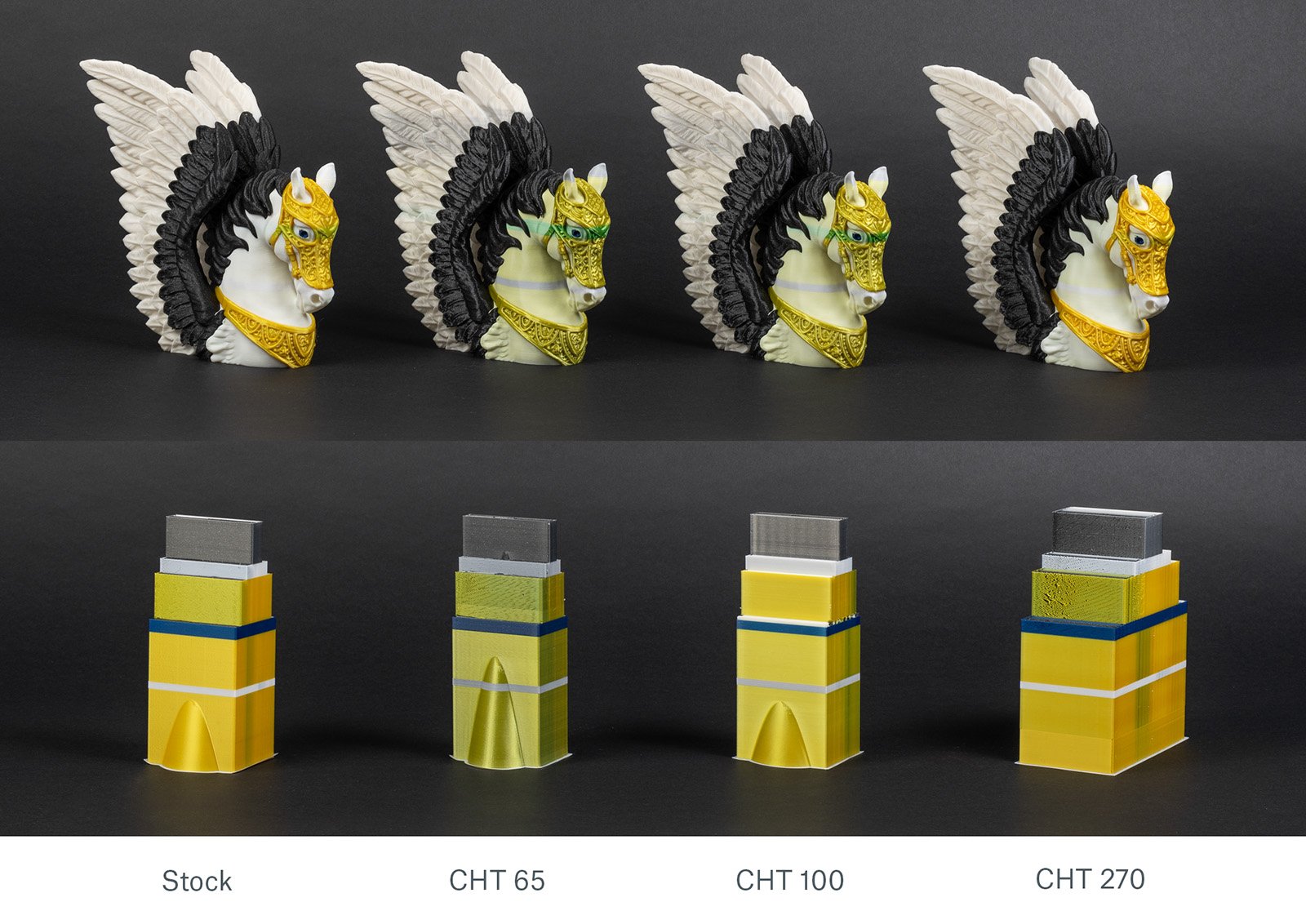
So, if you order a standalone MMU3 for the MK4S you will receive it along with the standard nozzle. In the MK4S/MMU3 bundle, you will receive both nozzles in the package - the standard one as well as the high-flow nozzle. For assembled MK4S in a bundle with MMU3, the standard nozzle will be pre-installed on the printer by default.
RELIABLE FILAMENT FEEDING SYSTEM
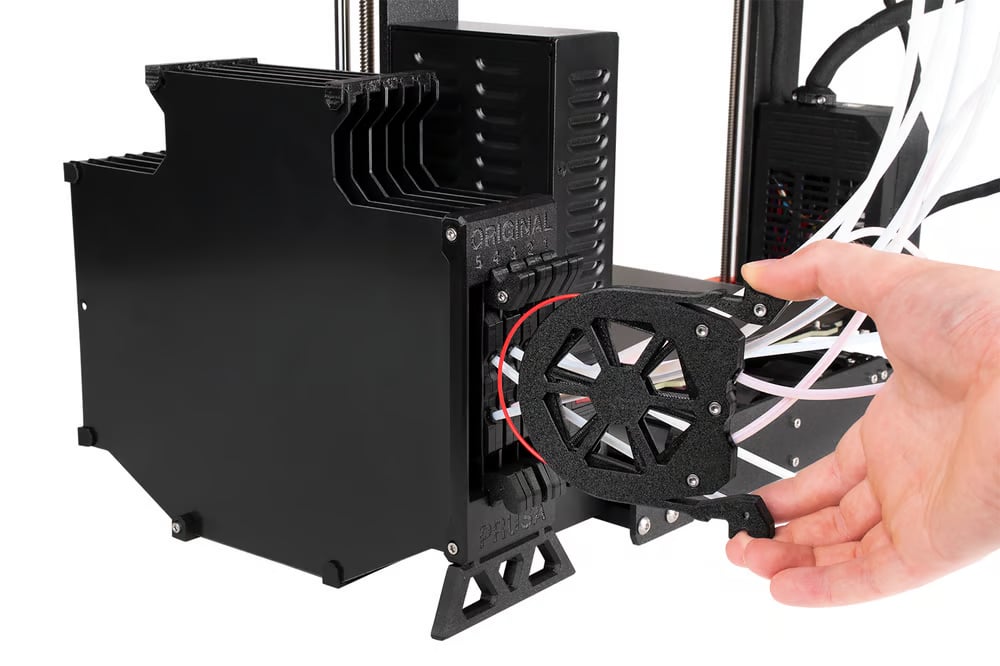
We designed the filament feeding system to be perfectly smooth and as reliable as possible. The filament passes through a PTFE tube into the buffer cartridge, from where it continues through another PTFE tube directly into the MMU3 unit. This method allows for smooth filament movement with minimal resistance while preventing it from tangling.
TUNED FIRMWARE WITH TWO-WAY COMMUNICATION
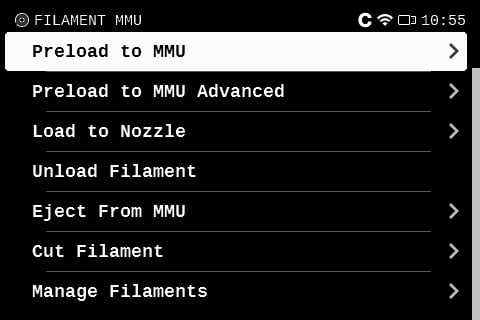
MMU3 firmware allows for two-way communication between the unit and your Prusa 3D printer, ensuring smooth, reliable and fully automated operation. If a problem occurs, the unit can diagnose and solve it itself, while also displaying current information about its status directly on the printer's LCD screen, along with a detailed error description. You can control the MMU3 via the printer menu or using the buttons directly on the unit for quick manual adjustments—making multi-material printing even easier and more carefree.
TROUBLE-FREE OPERATION AND SIMPLE MAINTENANCE
Thanks to tuned two-way communication between the unit and the printer, reliable filament switching and robust construction, the MMU3 can handle thousands of filament changes without the need for manual intervention. This, combined with simple maintenance, will offer you a completely carefree user experience.

SIMPLE MULTI-MATERIAL PRINTING THANKS TO PRUSASLICER
PrusaSlicer fully supports MMU3 and offers an intuitive way to assign colors to different parts of your 3D model. Using tools such as the customizable brush, smart fill and the familiar bucket tool, you can easily paint your model and assign each color to a specific extruder. PrusaSlicer also optimizes material usage thanks to features such as the smart purge tower, wipe into infill and wipe into another printed object, which reduces waste while ensuring sharp transitions between colors.
MMU3 package includes
- MMU electronics
- MMU motor set
- Printed parts or filament to print parts (2x 400g)
- SuperFINDA sensor
- PTFE tubes and other parts
- Assembly material
- Spool holders (5x)
- Buffer plates (6x)
- Extruder parts* (mechanical and printed)
* Content depends on the selected printer variant
Tools: (optional)
- Allen key 1,5 mm
- Allen key 2,0 mm
- Allen key 2,5 mm
- pliers
- screwdriver PH2
- wrench 8 mm (for M5-4 fitting)
.
Models used: