Free shipping from 1 999 Kč
Fast shipping
Verified store
Thousands of customers




Free shipping from 1 999 Kč
Flexible filaments can do things that you simply cannot print from PLA or PETG: soft seals, ible caps, vibration-damping feet, protective corners, grips, straps, grommets, or parts that are supposed to bend instead of breaking. At the same time, they do not behave like ordinary hard plastic. They compress in the extruder, readily absorb moisture, do not tolerate overly fast movements well, and with incorrect settings can clog the hotend or wind around the drive gears.
The most important thing is to choose the right type and hardness. The TPE or TPU label on the spool alone does not tell you everything. For printing, the Shore A rating, extruder design, and how slowly and evenly you push the material into the nozzle are often more important.

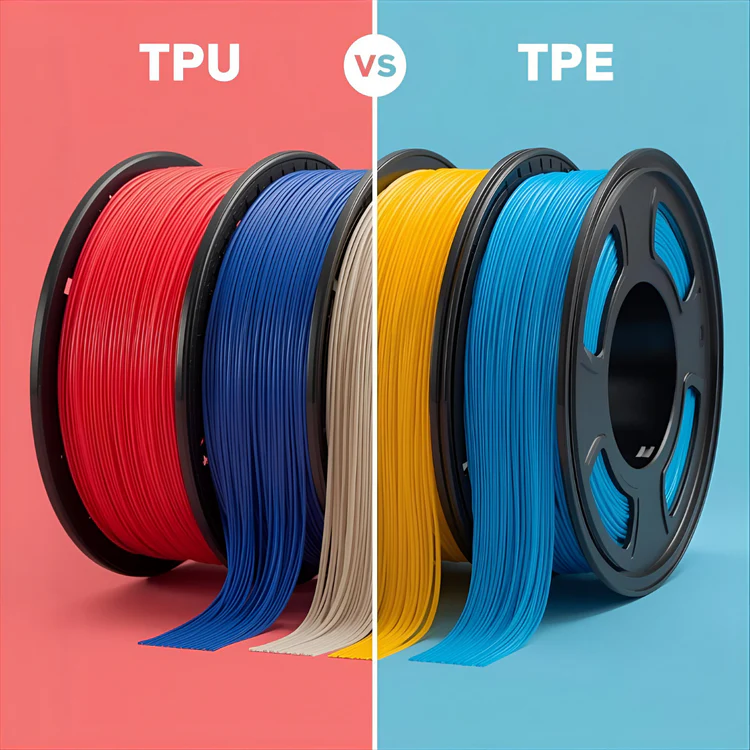
TPE is a broad of thermoplastic elastomers. These are materials that behave like rubber, but can be processed when heated similarly to ordinary thermoplastics. TPU is a more specific subtype of TPE, more precisely thermoplastic polyurethane.
In practice, this means a simple rule: every TPU belongs to the TPE family, but not every TPE is TPU. Filament sold as TPE is often softer, more ible, and more rubber-like. Filament sold as TPU is usually stiffer, more abrasion-resistant, and somewhat easier to print.
That is why, for your first attempt with a ible material, it is worth starting with TPU 95A or 98A. It is still ible, but the extruder can push it considerably better than very soft materials around 80A or lower.


Shore A describes how easily a material can be indented. The lower the number, the softer and more rubber-like the part. The higher the number, the stronger and easier-to-print the filament.
| Hardness | Feel in hand | Printability | Typical use |
|---|---|---|---|
| 98A | almost semi-rigid | easiest | caps, protective parts, vibration-damping feet |
| 95A | ible, but still easy to guide | good choice for beginners | cases, grommets, holders, softer mechanical parts |
| 90A | noticeably rubbery | requires slower printing | grips, soft stops, seals |
| 85A | very ible | direct drive ideally | straps, soft sleeves, ergonomic parts |
| 80A and lower | very soft rubber | demanding | special soft applications, experimental parts |
If you are mainly looking for a durable functional part, choose TPU 95A. If you want a soft grip, seal, or a part that should deform significantly, TPE or softer TPU makes sense. However, keep in mind that softer material will require a lower speed, shorter retractions, and a better-guided filament path.

TPU is a better choice when a part needs to withstand repeated bending, friction, impacts, or normal operational handling. It is suitable for protective corners, feet under machines, pads, cases, cable grommets, ible holders, edge guards, and workshop parts. It retains better dimensional stability and is more forgiving of imprecise printer settings.
Choose TPE when soft touch, comfort, and high ibility are the priority. It makes sense for grips, sleeves, simple seals, soft stops, straps, or parts that should feel more like rubber than plastic. Its weaker points tend to be lower precision, slower printing, and greater sensitivity to filament guidance.
For an e-commerce selection process, it is a good idea to ask the customer three questions: Should the part be mainly durable or mainly soft? Should it bend a little or a lot? Are they printing with direct drive or Bowden? The answers often decide more quickly than the material name itself.
A direct drive extruder works best because the filament has a short path from the drive gears to the nozzle. Soft material twists less, es less in the Bowden tube, and retraction response is more predictable.
A Bowden printer is not automatically ruled out, but stick to harder TPU 95A or 98A, reduce the speed, and do not overdo retractions. The longer and less well-guided the filament path, the greater the risk that the material will compress in the tube like a spring and the flow will start to fluctuate.
The following helps with any printer:
Treat them as a starting profile, not a universal truth. Every brand and every printer may require a minor adjustment.
| Settings | Recommended starting point |
|---|---|
| Nozzle temperature | 220 to 240 °C |
| Bed temperature | 40 to 60 °C, or even no heating on some surfaces |
| Outer wall speed | 15 to 25 mm/s |
| Infill speed | 20 to 35 mm/s |
| Maximum volumetric flow | approximately 1.5 to 3 mm3/s depending on hardness and hotend |
| Layer height | 0.2 mm as a safe starting point |
| Direct drive retraction | 0.2 to 1 mm |
| Bowden retraction | the lowest functional value possible, often 1 to 3 mm |
| Fan | low to medium, depending on overhangs and layer adhesion |
| Brim | suitable for narrow, tall, or soft parts |
With softer TPE and TPU 85A, start even more slowly. A speed of 10 to 20 mm/s is not a mistake; it is often the difference between a stable print and jammed filament.
Flexible filaments are hygroscopic. They absorb moisture from the air and then behave erratically during printing. Typical symptoms include popping at the nozzle, bubbles on the surface, matte patches, excessive stringing, and weaker bonding between layers.
It is worth drying a new spool before an important print, even if it was sealed. For most TPU, a safe approximate starting point is 50 to 60 °C for 4 to 8 hours. Always check the recommendation of the specific filament manufacturer, as some blends can tolerate more and others less. After drying, store the spool in a sealed box with silica gel. For longer prints, printing directly from a dry box helps.
TPU and TPE often stick to the bed almost too well. On smooth PEI, glass, or a similarly adhesive surface, it may be better to use a thin layer of glue not to improve adhesion, but as a release layer. The part will then be easier to remove and you will reduce the risk of damaging the print surface.
The first layer should be slower and placed gently rather than squashed. A nozzle that is too low increases pressure in the hotend, which quickly leads to under-extrusion or a jam in the extruder with ible materials. If you like a heavily squashed first layer with PLA, ease off slightly with TPU.
A skirt is usually sufficient for small parts. For tall, narrow parts, thin seals, or objects with a small contact area, add a brim. Use a raft only rarely, because ible support structures are harder to remove than those made from hard materials.
First, set a low speed and stable flow. With modern high-speed printers, it is not enough to reduce the speed only in the visible fields. Also check the material's maximum volumetric flow. If it is set too high, the slicer may still plan more material in some sections than the filament can supply consistently.
Keep retractions low. Flexible filament stretches and compresses when pulled back, so a long retraction may not eliminate stringing and instead increase the risk of clogging. Start with a small value, test a tower or a simple model with two columns, and fine-tune in small steps.
Reduce acceleration and jerk as well. Sudden changes in movement can cause pressure fluctuations in the nozzle and poorer corners. For a nicer surface, consistent slow printing often helps more than aggressive retraction tuning.
The number of walls and the infill directly change the resulting ibility. More perimeters, more top and bottom layers, and denser infill create a stiffer part. If you want a soft component, try two walls, lower infill, and a pattern that allows deformation. If you want a durable pad or stop, add walls and infill.
| Problem | Probable cause | What to try |
|---|---|---|
| Filament winds around the gears | excessive tension, high speed, soft material | loosen the tension, slow down, check the filament path |
| Under-extrusion after a few minutes | flow too high or resistance in the hotend | increase the temperature by 5 °C, reduce the speed, clean the nozzle |
| A lot of strings between parts | wet filament or unsuitable retraction | dry the spool, lower the temperature, tune retraction in small steps |
| The part cannot be removed from the bed | TPU has adhered too strongly | next time, use a release layer and let the bed cool |
| The surface has bubbles | moisture in the material | dry the filament and store it in a dry place |
| The part is too stiff | too many walls or too much infill | reduce the number of perimeters, reduce the infill, choose a softer Shore rating |
| The part is too soft | too little material in the structure | add walls, increase the infill, choose harder TPU |
With ible materials, consider not only the material but also the geometry. A thin wall made from TPU 95A can be pleasantly soft, while a solid block of the same material will be surprisingly stiff. Conversely, soft TPE with high infill can be functional but challenging to print.
For seals, use simple profiles, sufficient width, and preferably rounded edges. For vibration-damping feet, cavities, grids, or lower infill work well so the part has room to . For protective caps, add chamfered edges and do not overdo precise snap-fit details, because ible material does not respond as sharply as PETG or ABS.
Plan supports carefully. Flexible supports are harder to remove and can damage the surface. When possible, rotate the model so that it prints without supports, or add custom breakaway elements with greater clearance.
TPU is the best entry point into the world of ible filaments for most users. Hardnesses 95A and 98A offer a good balance of ibility, durability, and printability. TPE and softer TPU make sense where you need a truly rubber-like feel, a soft grip, or significant deformation, but they require slower printing and a better-prepared printer.
The biggest difference in the result is usually not made by one secret slicer value, but by the combination of basics: dry filament, a short and smooth path to the nozzle, low speed, reasonable temperature, low retraction, and suitable model design. When you keep these points under control, ible materials change from a demanding specialty into a practical tool for parts that need to , dampen, and last.


