Free shipping from 1 999 Kč
Fast shipping
Verified store
Thousands of customers




Free shipping from 1 999 Kč
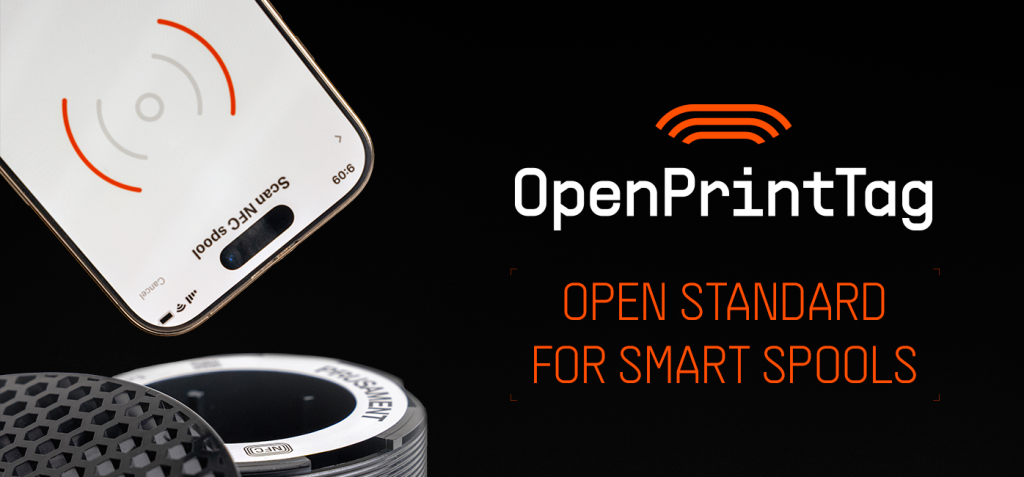
Anyone who has been printing for more than a few weeks knows the same problem: several partly used spools sit on the shelf, the labels are no longer readable, similar shades look the same in dim light, and with a longer print, estimating how much filament is left becomes a small lottery. It does not matter for a short cable holder. For a twelve-hour print that ends with an empty nozzle ten minutes before completion, it does.
Smart spools aim to reduce this chaos. Instead of being just a plastic or paper carrier for the material, a spool also carries data: material type, color, recommended temperatures, weight, length, and ideally the current amount remaining. OpenPrintTag is an open NFC standard designed to make this data useful across printers, applications, and filament manufacturers.

A smart spool is a regular filament spool equipped with a readable tag. This may be an RFID or NFC label that can be read by a phone, a reader in a spool holder, a printer, or filament management software. In its simplest form, the tag contains only an identifier that software uses to look up the remaining information in a database. In a more practical form, important data is stored directly on the tag.
For home printing, the greatest benefits come in three situations:
For a print farm or business operation, the benefits are even greater. A spool can be linked to inventory, an order, a batch, or a specific print. When a complaint or a difference in shade is addressed later, being able to trace the material is a huge advantage.
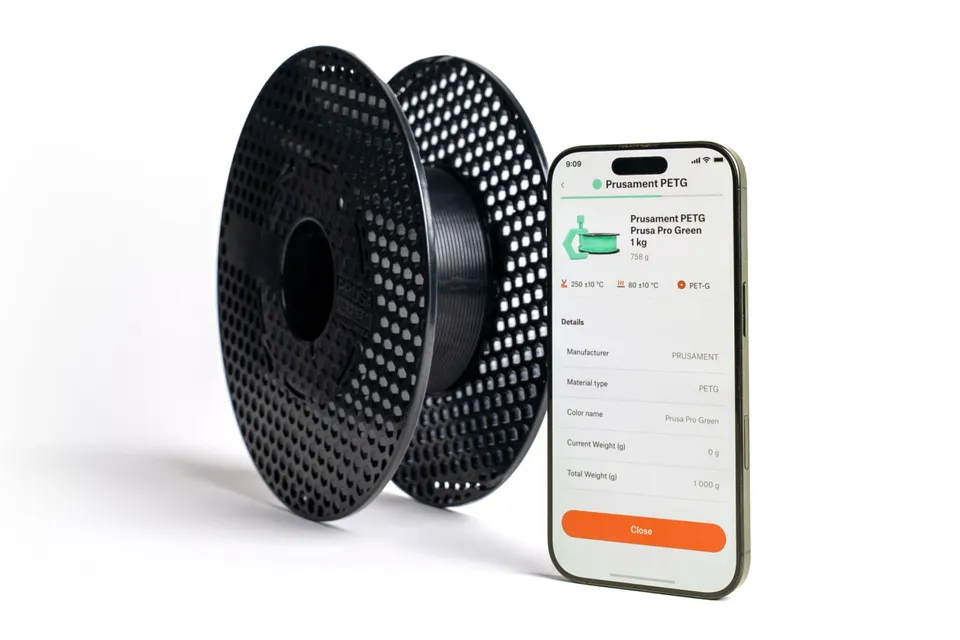
Earlier smart spools often worked only within a single closed ecosystem. That is convenient if you use one printer brand, one type of automatic feeder, and original filaments. But once you combine different printers, different filaments, and your own workflow, a closed tag starts to be more of an obstacle.
OpenPrintTag takes a different approach. It is designed as an open and writable standard. This means the tag does not have to be just a manufacturer's seal. It can carry data about any filament, be reused, and be used by an application, printer, or custom inventory system.
It is also important that the data can be stored directly on the tag. The spool is therefore not dependent solely on a cloud database. When you move it to another printer or lend it to a colleague, the basic information stays with the physical spool.
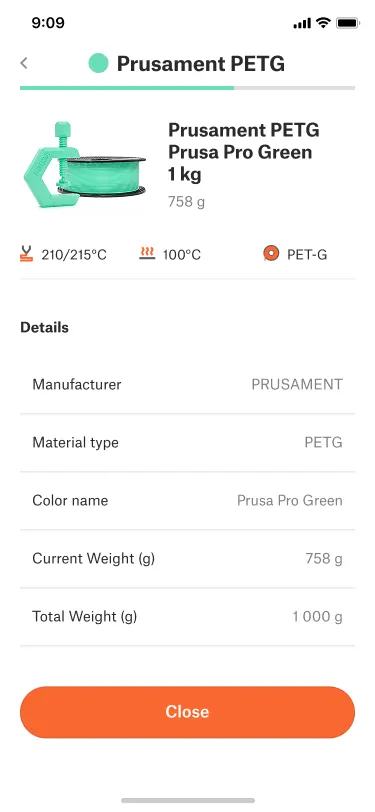
A typical spool record may contain, for example:
For a regular user, it is not essential to fill in every field manually. The practical basics are the material, color, temperature profile, and current amount remaining. These are the details that most often determine whether you start a print without stress or replace the spool first.
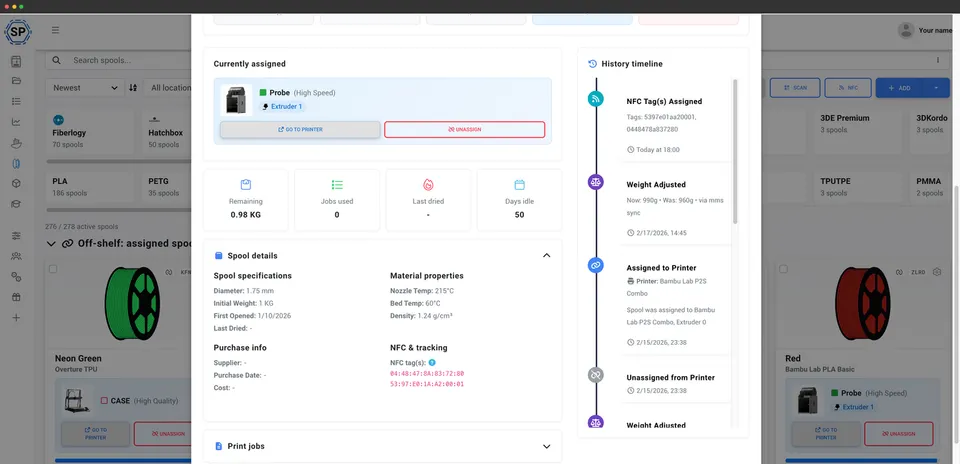
The most important question is: will a smart spool solve the problem of remaining filament once and for all? The cautious answer is yes, but it depends on the hardware and software you use.
The tag can carry information about the remaining weight or length. For this information to be accurate, it must be updated after printing. This can be done by the printer, application, filament management system, or manually by you. If the printer cannot yet write the consumption back to the tag on its own, you can still use a useful semi-automated workflow:
For example: the slicer shows that the model will use 180 g of PETG. According to your records, the spool contains 260 g of net material. The print should be successful, but the margin is small. For an expensive or long print, it is more sensible to use a fuller spool. If it is a technical part that can tolerate a color change, you can prepare to change the filament during printing.
The simplest way to start is with an NFC-enabled smartphone and several compatible tags. Note: not every inexpensive NFC label is suitable. OpenPrintTag uses a specific type of NFC tag, so check compatibility when purchasing. It is not enough for the description to say only “NFC sticker”.
A practical home workflow might look like this:
If you do not know the weight of the empty spool, you can record it after using up the first spool of the same type. Until then, treat the remaining-material calculation as approximate. Leave a margin for long prints, especially with ible, abrasive, or more expensive materials.
A smart tag does not mean you can ignore the slicer. The material profile must still be treated as a recommendation, not an absolute truth. Two PETG filaments from different manufacturers may require slightly different temperatures, flow rates, or cooling. The differences are even greater with silk PLA, matte PLA, CF blends, and ible materials.
A good approach is as follows:
For example, “Black PETG – Strong Parts – 245/85” is more useful than the generic “PETG.” When you reach for the same spool a month later, you immediately know why you used that profile.
OpenPrintTag is also interesting for Czech 3D printing enthusiasts because it is not being developed as a closed add-on for a single machine. An open standard makes the most sense when you have multiple printers in your workshop, use different filaments, or want your own inventory system.
Even without a built-in reader in the printer, the tag can serve as a physical bridge between the spool and your records. Scan the spool with your phone, check the material and remaining amount, assign it to a specific printer, and update the consumption after printing. This is not full automation yet, but it already significantly reduces errors.
In 2026, it is reasonable to expect support to continue evolving. Before purchasing a larger quantity of tags or readers, therefore, check three things: whether your phone or reader supports the given type of tag, whether your application can read and write the data, and whether your printer or slicer can actually use this data.
Smart labeling is most worthwhile for spools that you switch frequently or that are expensive. Typical examples include technical materials, multiple similar shades, print-farm operations, custom printing, and long models with high material consumption.
On the other hand, with a single spool of white PLA that you use up over a weekend, there is no need to build a complicated system. A marker, a box, and basic organization are enough. A smart spool has the greatest value when human memory is no longer sufficient.
Before starting a larger model, run through this short check:
A smart tag mainly helps with the first three points. The rest still comes down to good printing practices.
OpenPrintTag is not a magic label that will fix an incorrectly configured print by itself. It is, however, a very useful step toward making filament something more than anonymous consumable material. When a spool carries information about the material, color, settings, and amount remaining, the number of mistakes decreases and longer prints can be planned more effectively.
For home use, start simply: label the spools you use most, track the remaining amount, and keep your slicer profile names just as clear as the names in your records. For workshops and print farms, OpenPrintTag is even more interesting because it opens the way to better inventory management, traceability, and gradual automation without locking you into a single brand.


