Doprava zdarma od 1 999 Kč
Rychlá expedice
Ověřený obchod
Tisíce zákazníků




Doprava zdarma od 1 999 Kč
Smart spools may seem like a small thing: there is a sticker with a chip on the spool, and the printer automatically reads what you have just loaded. In practice, however, they determine whether working with filament will be more convenient or whether the user will gradually become locked into a single ecosystem.
The biggest benefit is simple. The printer or material system can identify the material type, color, manufacturer, recommended profile, and sometimes even the specific spool. With multicolor printing, this eliminates the need to enter slots manually. With regular printing, it reduces the risk of accidentally starting PETG with a PLA profile or leaving the wrong color in a project. In a workshop with multiple printers, a smart spool can become the foundation of inventory tracking.
At the same time, NFC or RFID alone guarantees nothing. What matters is what is stored on the tag, who can read it, whether it can be rewritten, and whether the printer provides the same convenience with filament from another brand.


RFID is a broad term for wireless identification using radio waves. NFC is its short-range variant, which you may know from payments, access cards, or phone pairing. With filaments, both abbreviations are often used loosely because users are mainly interested in the result: you place or load a spool, and the system recognizes it.
A tag can contain several levels of information:
The difference between these options is fundamental. A tag containing only an ID can be practical in a closed system, but without support from the relevant manufacturer, it will not provide much benefit. A tag with data stored directly on it can work locally and more independently, provided your printer, phone, or reader can read it.

Bambu Lab has shown why smart spools are appealing to many users. Combined with AMS, you insert an original spool and the system automatically sets the material and color. The user does not have to pair slots manually, the slicer works with more precise information, and with original spools it is possible to track a specific spool rather than just a general material type.
For home use, this is excellent. If you often print colorful models, switch between PLA, PETG, and support material, or work with multiple AMS slots, automatic identification saves time and prevents errors. A typical example: the left slot contains black PLA, the next one contains white PETG, and the project requires several changes. If the system loads the materials automatically, there is less chance that the user will set the wrong slot or overlook a mix-up.
The disadvantage is openness. Bambu RFID is a closed format. Original tags can be read within the ecosystem, but an ordinary user cannot simply buy blank tags, write their own PETG from another brand to them, and expect the same automation in AMS. A non-original spool may still print perfectly, but from the perspective of smart identification, it becomes a manually configured material.
This is not the same as banning third-party filament. Bambu printers can also print many materials from other manufacturers. It is more a difference in convenience: an original spool registers itself, while a third-party spool usually has to be described manually or tracked outside the built-in RFID system.
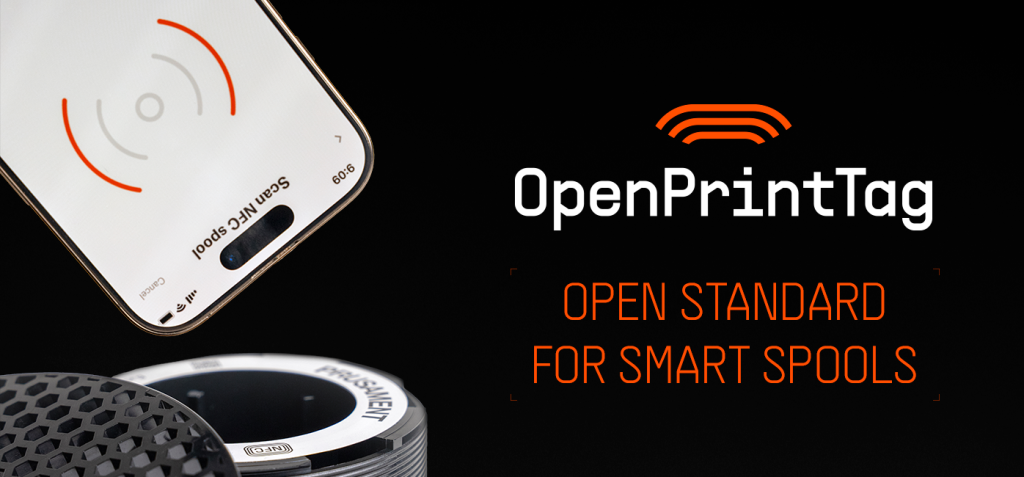
OpenPrintTag targets the weakness of closed systems directly. The idea is that a smart spool should not be merely an advantage of one brand, but an open and rewritable standard. The tag should carry important information directly on itself: material, color, printing data, and ideally the amount of filament remaining.
In practice, this means three things. First, the spool can be identified even without the cloud. Second, the tag can be reused on a refill or another spool. Third, printer, filament, and application manufacturers can implement the same format without a licensing barrier.
Prusament has started adding OpenPrintTag to new spools, and separate blank tags make sense for users who want to experiment with their own inventory tracking. It is important, however, to distinguish between the tag and full printer support. The sticker on the spool is only one part. For a truly automatic experience, you also need a compatible reader, firmware, and software that correctly sets the material based on the data read.
OpenPrintTag is therefore promising mainly for the future and for users who want openness. Today, it is best viewed as a standard that is getting off the ground: tags, specifications, and the first applications already exist, but the specific level of convenience depends on your printer and software.
Alongside major manufacturers, community-based and generic NFC solutions also exist. The typical process is simple: you create a spool record in a filament manager, stick an NFC tag onto the spool, and scan it with a phone or USB reader when loading it or checking inventory. Sometimes the tag contains only a link or ID; in other cases, it contains material data directly.
This solution is excellent for keeping a workshop organized. If you have dozens of spools in boxes, you can record the remainder, location, opening date, drying, batch number, or a note that a particular PETG is best printed 5 °C hotter. It is not always as convenient as automatic reading in the printer, but it is more universal and often inexpensive.
Pay attention to tag compatibility. Not every NFC sticker works with everything. Some projects use standard NTAG labels, while other formats require a different type of chip or reader. OpenPrintTag mainly uses NFC-V family tags, whereas ordinary hobby NFC labels may be sufficient for phone-based inventory tracking but not for a future reader in a printer. Before buying a larger pack of tags, therefore, verify the specific standard and the devices you intend to use them with.
With refills, the smart spool is both most interesting and most treacherous. A refill reduces waste and cost, but divides the physical item into two parts: a reusable spool and the filament itself. If the tag is stuck to an old spool and you put a different material on it, the data may no longer reflect reality. If the tag is part of the refill, the information moves with the material. If you use a rewritable tag, you must actually update it after changing the refill.
A practical rule: a smart tag should describe the filament currently on the spool, not the plastic spool itself. If you successively put PLA, PETG, and TPU on the same spool, rewrite the tag or disconnect it from your inventory record. Otherwise, you are inviting exactly the error that smart spools were supposed to eliminate.
With closed systems, it is also true that a refill from another brand may not receive the same level of convenience as the original material. With open or community-based systems, more responsibility falls on the user: the data must be entered correctly and kept up to date.
If you are buying a printer for convenience, ask more specific questions than just “does it have RFID?” The following questions are more important:
For an ordinary user, the first and last points are the most important. If you mainly print with original filament from one brand and want minimal operation, a closed system can be very convenient. If you buy filament based on price, color, and availability across brands, openness and manual editing are more important than the most attractive automation.
For Bambu users, it makes sense to use RFID where it provides the most value: with original spools in AMS, for multi-material printing, and for projects where mixing up materials would be costly. With third-party filaments, expect manual configuration and save verified profiles in your slicer.
For Prusa and Prusament users, keep an eye on OpenPrintTag as a promising open direction. If you buy new spools with a tag, treat it as a bonus for future automation and as an opportunity for better inventory tracking. If you want fully automatic reading immediately in a specific printer, verify the current support for the reader, firmware, and application.
For workshops, schools, and print farms, it makes sense to start simply: first track spools, leftovers, and locations, and only then add automation. Even an ordinary NFC label combined with good inventory management can save more time than an expensive system that works only for some materials.
Smart spools are a useful step, not just a marketing label. They can reduce errors, speed up print preparation, and make inventory more transparent. Bambu RFID currently offers a very convenient experience within its own ecosystem. OpenPrintTag is trying to move the same idea toward an open, rewritable, locally operating standard. Community NFC solutions fill the space between the two: they are not always as automated, but they give users control.
When choosing filament or a printer, therefore, do not ask only whether the spool is smart. Ask who it is smart for, who is allowed to rewrite it, and what happens when you put a different refill on it.


