Free shipping from 1 999 Kč
Fast shipping
Verified store
Thousands of customers




Free shipping from 1 999 Kč
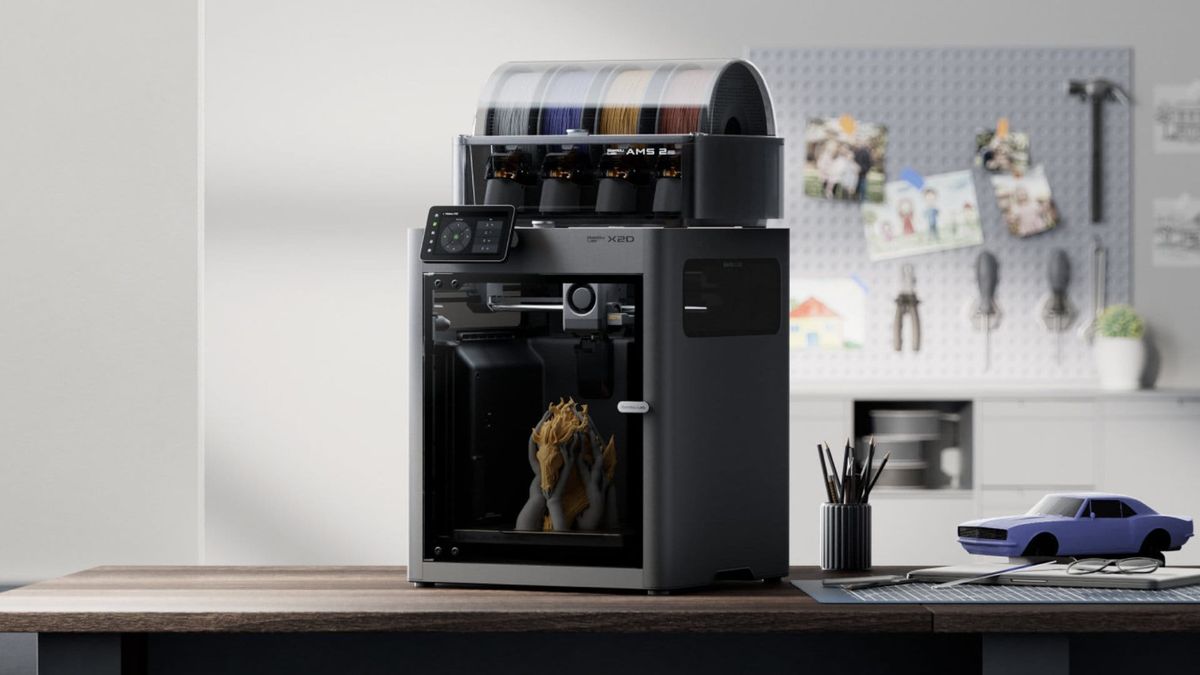
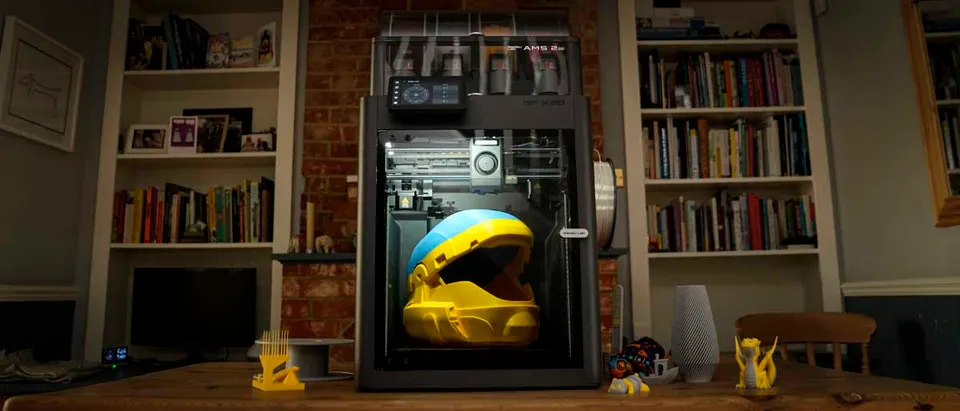
For a long time, dual-nozzle FDM printing was mainly found in more expensive workstations. Ordinary home or business users usually chose a single nozzle together with a system for switching filaments. This works well for colors, but it has one major drawback when it comes to supports: the model and the support pass through the same nozzle. Every time the material is changed, the hotend needs to be cleaned, a purge tower created, or material discarded as waste.
New machines such as the Bambu Lab X2D and the larger Bambu Lab H2D are bringing dual-nozzle printing closer to people who mainly want better results without laboratory-style setup. This is not just a marketing trick. The second nozzle is especially useful where overhangs, technical parts, enclosed cavities, or visible bottom surfaces are being printed.
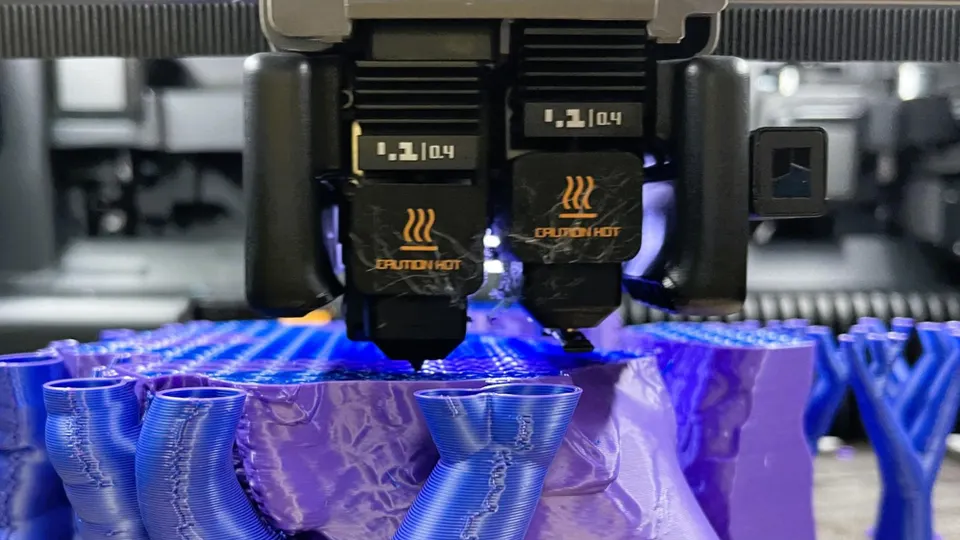
With a single nozzle, the greatest compromise is usually the distance between the support and the model. If you leave a larger gap, the support is easy to break off, but the model's bottom surface is rougher. If you reduce the gap, the bottom surface is better, but the support may adhere so firmly that you will have to remove it with pliers, a knife, or sanding.
Two nozzles make it possible to separate the model material from the support material. For example, the model can be printed from PLA and the support contact layer from PETG or a special support filament. Because these materials do not bond as strongly to the specific model plastic, you can use a smaller or zero gap at the support interface in the slicer. The result is a significantly cleaner bottom surface and less manual finishing.
A practical example: you are printing a holder with a horizontal pocket for a nut. With one nozzle, the top section of the pocket will often be fuzzy and require finishing. With a separate support interface, the surface can be smoother, the pocket dimensions more accurate, and the nut will fit into it without additional sanding.
For ordinary use, the combination of PLA and PETG is the most interesting. If you are printing a model from PLA, PETG can serve as the support contact layer. If you are printing from PETG, PLA can be used in a similar way. The reason is simple: with the right settings, these two materials do not bond to each other as readily as two layers of the same plastic.
This does not mean that you should print entire supports from the more expensive or slower material. It is often enough to use the second material only for the support interface – that is, the few top layers that touch the model. The rest of the supports can remain in the same material as the model. You save filament, reduce print time, and still get cleaner contact.
With this method, you need to monitor temperatures. PLA does not like spending a long time in a hot chamber, while PETG can string if cooling is inadequate. Start with a ready-made profile for the specific printer and filament, do not change ten things at once, and carry out the first test on a small part with a single overhang.
PVA supports are appealing because they can be dissolved in water. They make the most sense for geometries where you cannot physically reach the supports after printing: internal channels, complex cavities, organic shapes, or models with delicate details that could easily be damaged during prying.
At the same time, it is fair to say that PVA is not a universal miracle. It is more expensive, sensitive to moisture, and requires careful storage. If it absorbs moisture, it can bubble, clog the nozzle, or print inconsistently. For a simple overhang on a holder, using a PETG interface for PLA is usually cheaper and faster. Save PVA for parts where mechanical support removal would be genuinely risky.
Systems such as AMS and MMU mainly handle the automatic feeding of multiple filaments into a single nozzle. They are excellent for multicolor models, labels, logos, or simple multimaterial prints. Their weakness becomes apparent when frequently switching between incompatible materials: one nozzle has to be cleaned after every change, otherwise the materials mix.
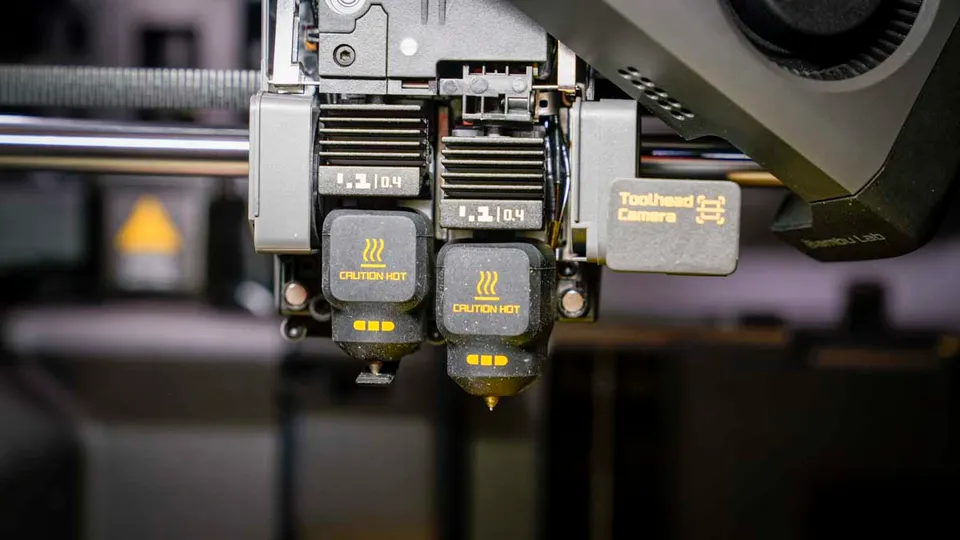
A dual-nozzle printer has a natural advantage for supports. Each material has its own hotend or its own outlet, reducing the need for cleaning between changes. Fewer purge cycles mean less waste and shorter pauses. When printing supports, there is also no need to flush residual model material from one shared nozzle at every layer.
This does not mean that two nozzles will always replace AMS. If you want to print a model with four PLA colors, a filament management system is still very convenient. The ideal combination is often both: AMS for color selection and a pair of nozzles for separating the model from the support material.
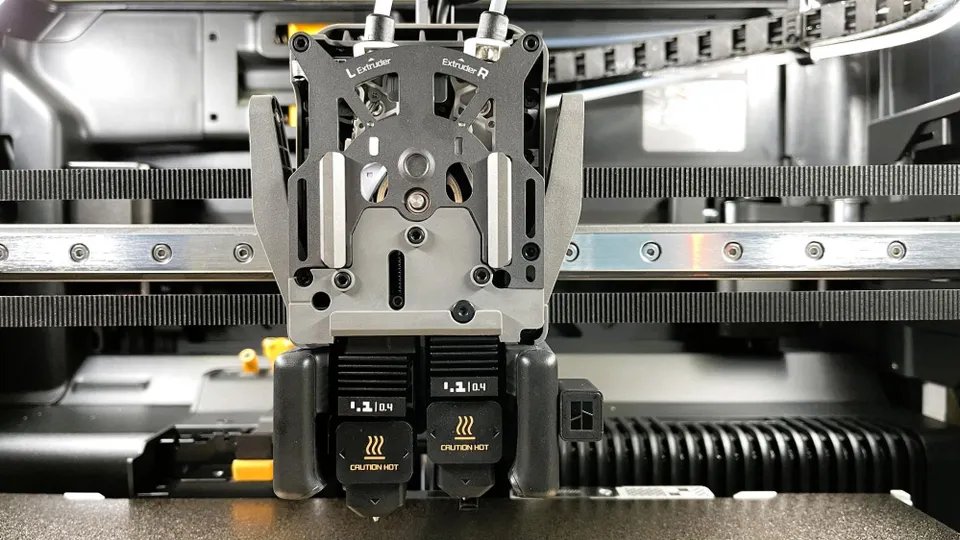
The Bambu Lab X2D is aimed at users who want a more compact enclosed printer with dual-nozzle printing and a lower initial budget. The main left nozzle uses direct drive, while the auxiliary right nozzle is designed with Bowden feeding. This reduces the weight of the toolhead, but the auxiliary nozzle is slower. This usually does not matter for the support interface, because the support does not make up the main volume of the model.
The H2D is a larger and more powerful platform. It offers a larger build space, a higher hotend temperature, and a heated chamber for technical materials. It makes sense where larger parts, more production-oriented jobs, composites, ASA, ABS, or nylon are being printed. However, if you mainly print PLA, PETG, and smaller functional parts, the X2D may provide the most important benefit of two nozzles without an unnecessarily large machine.
The decision is therefore not simply about which model is better. What matters is how often you will actually use the second nozzle. For a company that prints fixtures with supports every day and wants to reduce manual work, a dual-nozzle machine can quickly pay for itself. For a user who prints support-free decorations, the benefit will be smaller.
In the slicer, focus mainly on the support interface material. You do not need to immediately change the density of all supports or print the entire supports from the second material. Start by selecting the second material only for the support interface. You will save time and filament and more easily determine whether the combination works.
The second important setting is the distance between the support and the model. With a separate support material, you can move closer than with the same material. This is where the cleaner bottom surface is created. If the support is still difficult to remove, increase the distance in small increments. If the bottom surface is rough, try reducing it instead.
Also pay attention to drying your filaments. PETG, PVA, nylon, and some support materials significantly worsen the surface when they are wet. With PVA, consider a dry box almost essential equipment. With PETG, it is worth drying the filament before an important print, even if it appears fine at first glance.
Two nozzles make the most sense for parts where supports determine the quality or the amount of work involved. Typical examples include functional covers, holders, fixtures, models with a flat visible bottom surface, complex technical prototypes, and parts combining rigid and ible materials.
They are less useful for simple models without overhangs, quick prototypes where you do not care about the appearance of the bottom surface, or purely multicolor PLA prints with many colors. In those cases, a well-configured single-nozzle machine with a filament management system may be more practical.
The best test is simple: take a model that normally takes you ten minutes to remove the supports from and print it with a separate support interface. If the support pops off by hand and the bottom surface needs neither a knife nor sandpaper, the second nozzle is not a luxury for you. It is a tool that saves time after every print.
Dual-nozzle FDM printers do not eliminate every compromise, but they significantly improve support handling. The greatest benefit is not that the printer can use two materials on paper. The benefit is a cleaner support interface, less waste, faster material switching, and a lower risk of damaging the finished part while removing supports.
If you mainly print simple PLA models, one nozzle will still be enough. But if you frequently deal with supports, bottom surfaces, technical shapes, or combinations of PLA, PETG, and dissolvable materials, dual-nozzle printing is one of the most practical innovations now making its way into more affordable FDM printers.


