Livraison gratuite à partir de 1 999 Kč
Expédition rapide
Boutique vérifiée
Des milliers de clients




Livraison gratuite à partir de 1 999 Kč
Introduction
We have divided the A1 FAQ into product specifications, product features, and product usage.
Product Specifications
What filaments can the A1 print?
Low-temperature filaments such as PLA, PETG, TPU, and support materials for PLA and PETG (Support for PLA, PVA, HIPS, etc.).
Common high-temperature filaments such as ABS, ASA, PC, PA, PA-CF/GF, PET-CF/GF, PPA-CF/GF, etc.
Reminder:
The standard nozzle is made of stainless steel. When printing filaments containing hard particles (CF, GF, etc.), such as PLA-CF/GF, glow-in-the-dark PLA, PETG-CF/GF, and PAHT-CF/GF, you must replace the nozzle with a hardened steel nozzle to prevent excessive wear.
Due to the A1's open design and lower chamber temperature, there is a risk of reduced interlayer strength and increased warping in large models and models with a high infill density when using common high-temperature filaments such as ABS, ASA, PC, PA, PA-CF/GF, PET-CF/GF, PPA-CF/GF, etc. on the A1. However, these high-temperature filaments can be used on the A1 to print small models with a low infill density. Print results may vary depending on whether the filaments are dry or moist, the characteristics of the model itself, print parameters, and ambient temperature.
What are the maximum hotend and heated bed temperatures of the A1?
The maximum hotend temperature is 300 ℃ and the maximum heated bed temperature is 100 ℃.
What are the differences between the A1 and A1 mini?
Click here for a link to the official model comparison table, where you can find detailed differences in the parameters.
What is the maximum print size of the A1?
256 x 256 x 256 mm. For more product specifications, visit this page. Click here.
Is the nozzle made of stainless steel or hardened steel?
The printer comes pre-installed with a 0.4mm stainless steel nozzle. Additional nozzles will be available, including a 0.2mm stainless steel nozzle and hardened steel nozzles in 0.4mm, 0.6mm, and 0.8mm sizes. If you need them, you can purchase them from the official store.
What material is the A1 extruder gear made of?
The A1 extruder gear is made of hardened steel.
How quiet is the A1 while printing?
In silent mode, the operating noise of the A1 is approximately 48 dB.
Are the hotend assemblies of the A1 and A1 mini interchangeable?
Yes, the hotend assemblies of the A1 and A1 mini are interchangeable. It is important to note that the A1 toolhead module, including the hotend assembly, extruder unit, cutter, and AMS lite filament hub, is compatible with the A1 mini.
What is the A1's power consumption in print mode and standby mode?
At 220V, the A1's power consumption in standby mode is 5 watts. During PLA printing, the average power consumption is 95 watts. Power consumption increases when the nozzle or heated bed is heating up.
What is the difference between the lubricating oil and lubricating grease included with the A1 accessories?
Based on user feedback regarding the stickiness of the lubricating grease and its potential to attract dust and dirt, we conducted extensive verification tests and decided to change the lubricant for the A1 Y-axis guide rail. Therefore, we recommend using lubricating oil for the A1 Y-axis guide rail. If you previously used lubricating grease, we recommend switching to lubricating oil for future maintenance. During the lubrication process, you can also wipe the lubricating grease off the guide rail and then apply lubricating oil according to the instructions.
Friendly reminder:
The accessories box contains two types of lubricants: lubricating oil and lubricating grease. The packaging may vary depending on the batch, so please refer to the actual packaging you received.
Here is an introduction to their respective applications:
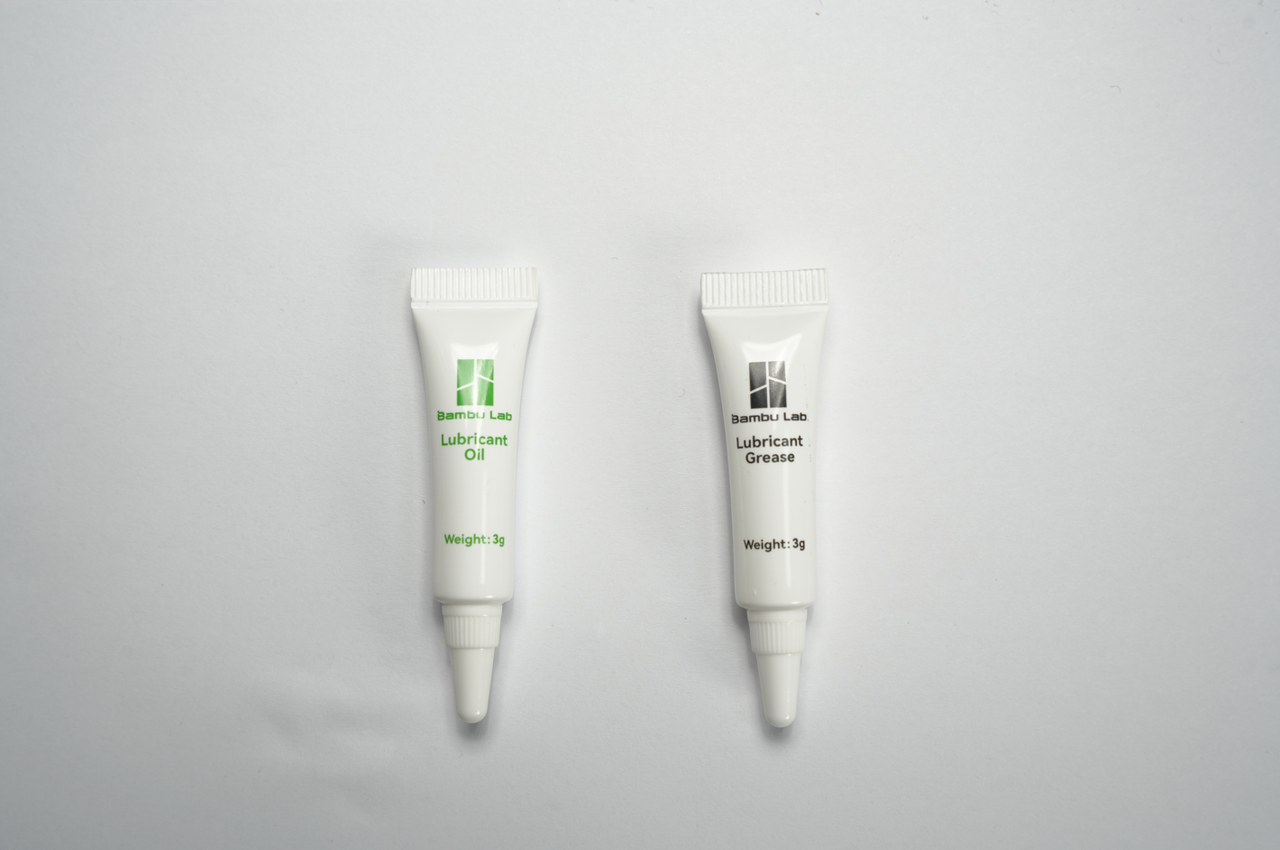
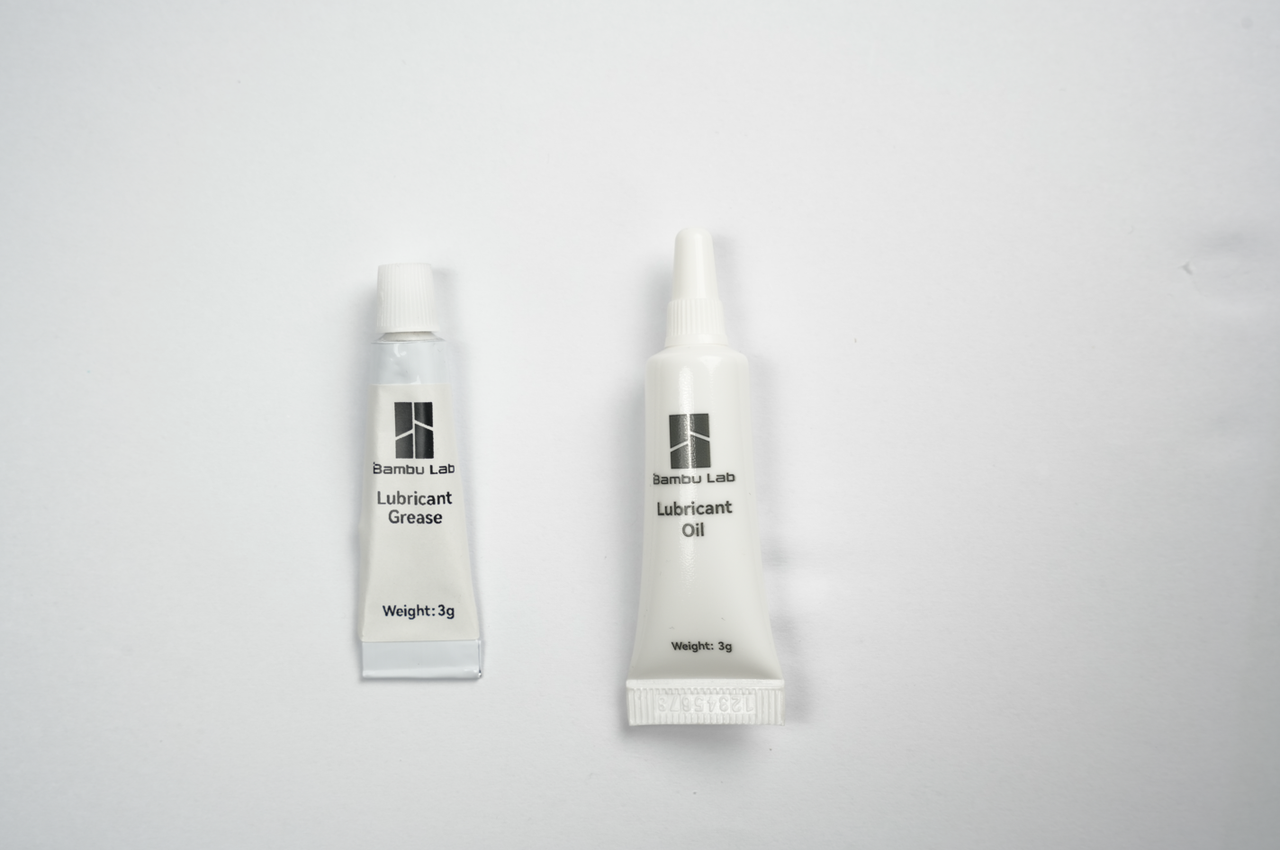
Purposes of the lubricating oil: Used for the X-axis linear guide rail, Y-axis guide rail, and eliminating noise from the tensioner wheels.
Purposes of the lubricating grease: Used for lubricating the lead screws and extruder gears.
Caution: It is strictly prohibited to use lubricating grease on the X-axis linear guide rail.
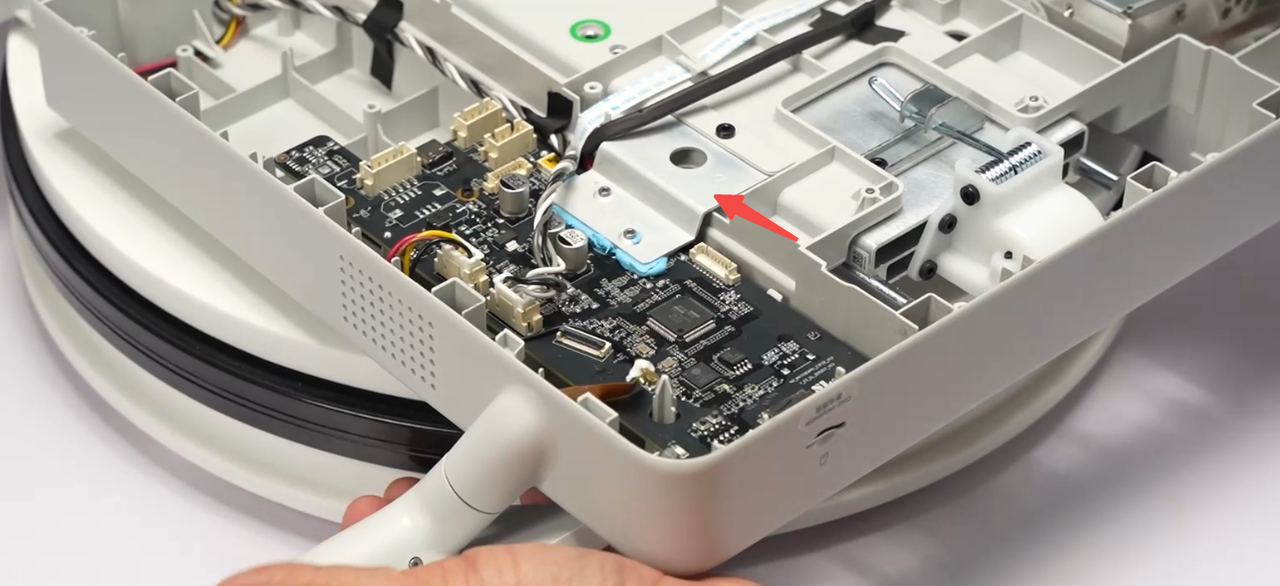
Why does the motherboard not have a cooling fan?
The A1 design includes a heat sink that is in contact with the aluminum profiles. This arrangement increases the heat dissipation area, resulting in effective cooling. Therefore, the A1 design does not include a cooling fan for the motherboard.
Product Features
How can I level the print surface?
Our printer supports automatic print surface leveling. We recommend checking the print surface leveling option before starting a print task. This allows the algorithm to quickly check five points and determine whether the surface needs to be leveled again or whether the previous leveling data can be used. Manual print surface leveling should not be necessary.
Is print surface leveling necessary for every print?
We recommend enabling the automatic print surface leveling option for every print task, because the magnetic build plates are unlikely to be placed in exactly the same position after each print. In addition, before automatically leveling the print surface, the printer quickly tests five points to determine whether the surface needs to be leveled again or whether the previous leveling data can be used.
How does flow calibration work?
The hotend records fluctuations in extrusion force during cleaning at the nozzle tip and calibrates the K value.
What happens in the event of a partially clogged nozzle?
A partially clogged nozzle may cause an incorrect K value. The good news is that future firmware updates will support manual flow dynamics calibration.
Is dynamic flow calibration necessary before every print?
You will need to perform calibration in the following cases (but it is highly recommended to leave it enabled before every print):
Does the AMS lite filament hub contain a Hall-effect sensor for each filament input? No, the AMS lite filament hub is only a mechanical structure and does not contain electronic components. It does not know where the current filament comes from. For the printer to know where the current material comes from, it first checks the filament position every time a filament is loaded or unloaded. For a more detailed explanation, refer to the introduction to AMS lite.
What is the reason for the prompt “Enabling traditional time-lapse photography may cause surface defects. Switching to smooth mode is recommended. If you still want to continue printing, click the Confirm button.“
During the printing process, an ooze may occur during the pause when a photo is taken. The traditional time-lapse photography mode lacks a prime tower to minimize this issue, which may negatively affect print quality. To solve this problem, our strategy is to incorporate defects into the infill as much as possible to preserve surface quality. However, defects may be unavoidable if the model does not have an infill area at a certain layer. In such cases, enabling time-lapse photography in traditional mode is not recommended; instead, smooth mode is recommended. Therefore, you will receive a warning before submitting the print task.
Product usage-related Do you have an official unboxing guide? For the unboxing video guide, refer to this wiki link (click here).
Are CF filaments suitable for printing with the A1? The A1 printer comes with a 0.4 mm stainless steel nozzle. To reduce excessive nozzle wear, using a stainless steel nozzle to print filaments containing hard particles such as carbon fiber, glass fiber, or other inorganic particles, including PLA-CF/GF, PLA Glow-in-the-dark, PETG-CF/GF, PAHT-CF/GF, etc., is not recommended. However, if you replace the nozzle with a hardened steel nozzle, you can print these filaments on the A1. If you want to use AMS lite to feed filament into the A1, follow the requirements specified by AMS lite for the filaments.
Product Usage
Do you have an official unboxing guide?
Yes, we have an official video guide for you, which you can find at this link in our wiki.
Are CF filaments suitable for printing with the A1?
The A1 printer comes with a 0.4 mm stainless steel nozzle. To minimize excessive nozzle wear, using a stainless steel nozzle to print filaments containing hard particles such as carbon fiber, glass fiber, or other inorganic particles, such as PLA-CF/GF, PLA Glow-in-the-dark, PETG-CF/GF, PAHT-CF/GF, etc., is not recommended. However, if you replace the nozzle with a hardened steel nozzle, you can print these filaments on the A1. If you plan to use AMS lite to feed filament into the A1, follow the requirements specified for AMS lite for the respective filaments.
Can the A1 print ABS and ASA?
Due to its open-frame design and lower internal chamber temperature, the A1 is prone to reduced interlayer strength when using high-temperature filaments. This leads to an increased risk of warping and a greater degree of warping in large models. Therefore, using ABS, ASA, PC, PA, PA-CF/GF, PET-CF/GF, PPA-CF/GF, and other common high-temperature materials on the A1 is not recommended for printing models that require high interlayer strength and have large dimensions and/or a high infill density. However, these high-temperature materials can be used on the A1 to print small models with a low infill density. Print results may vary depending on whether the filaments are dry or moist, the characteristics of the model itself, print parameters, and ambient temperature.
In addition, ABS and ASA release harmful and irritating gases during printing. Therefore, they require better air filtration and ventilation. Since the A1 is an open-frame printer without an airtight enclosure or air purification capabilities, it is recommended not to use the A1 for printing ABS and ASA unless it is operated in a well-ventilated environment at a safe distance from people.
Can I use AMS with the A1?
No, AMS is not compatible with the A1. If you want to print in multiple colors using the A1, you must use AMS lite.
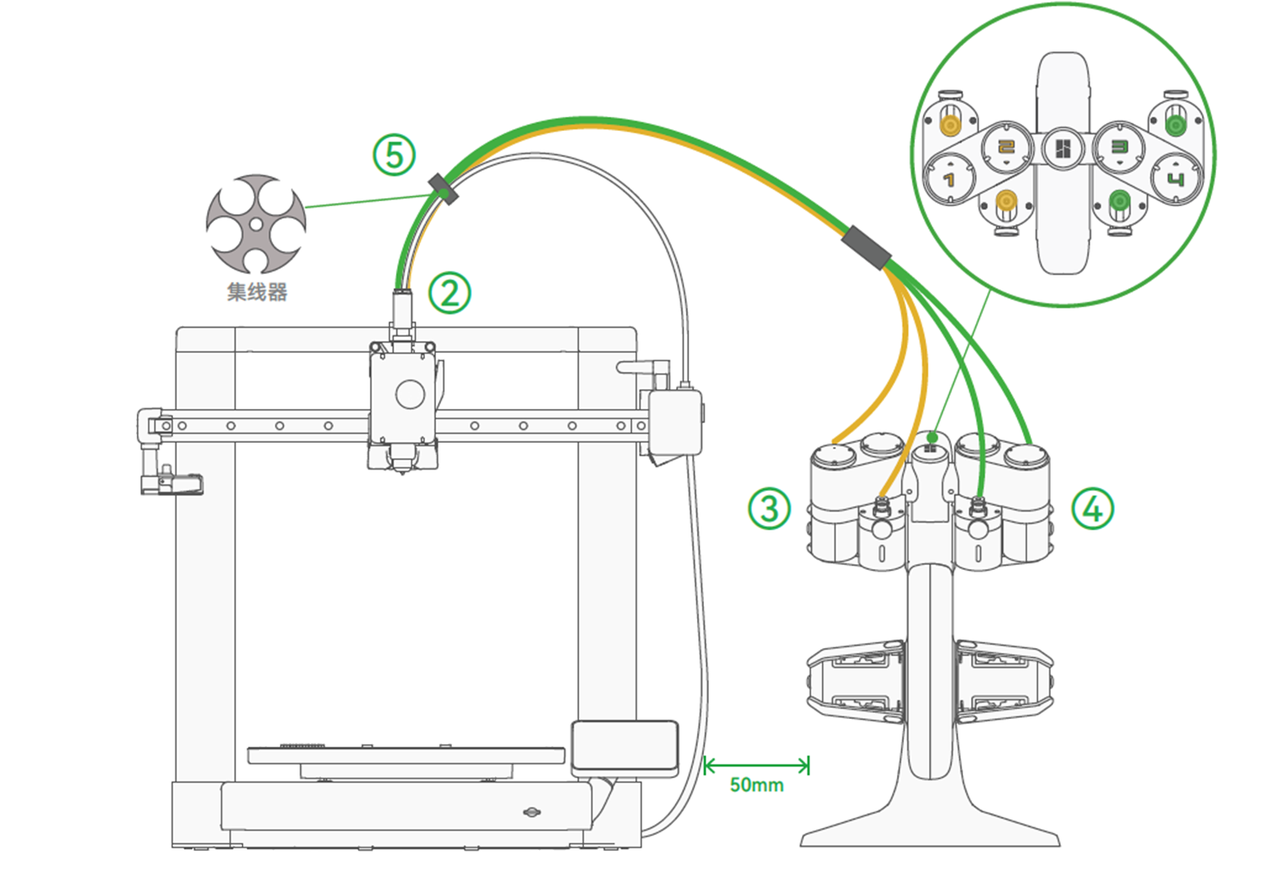
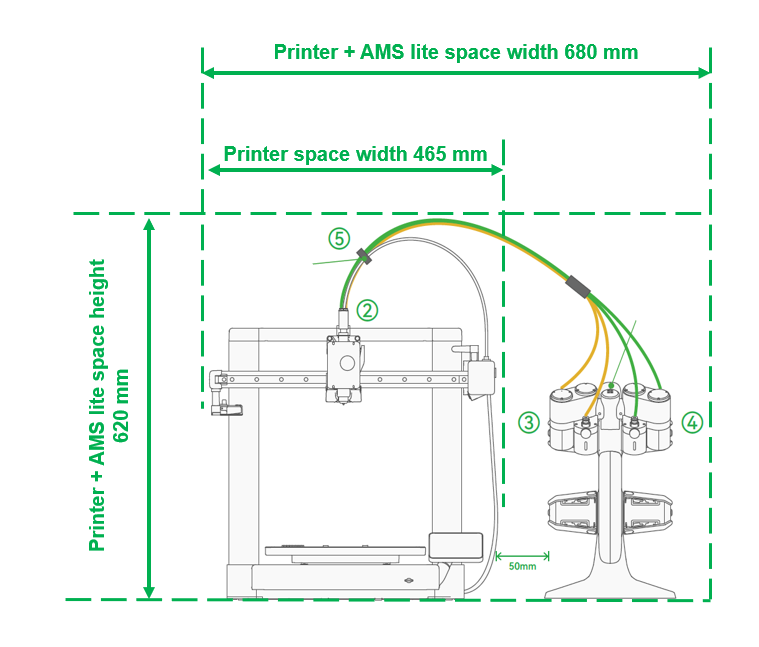
What are the best locations for placing the A1 and AMS lite?
The recommended distance between the A1 and AMS lite is 50 mm, as shown in the diagram.
Can I place AMS lite on the A1 rail to reduce the occupied space? If so, how should I perform this operation?
Please visit our Makerworld model website (click here to go to the MW link), where you can find model support, installation instructions, and links to purchase accessory screws. You can also refer to our wiki page (click here to go to the wiki) for more related information.
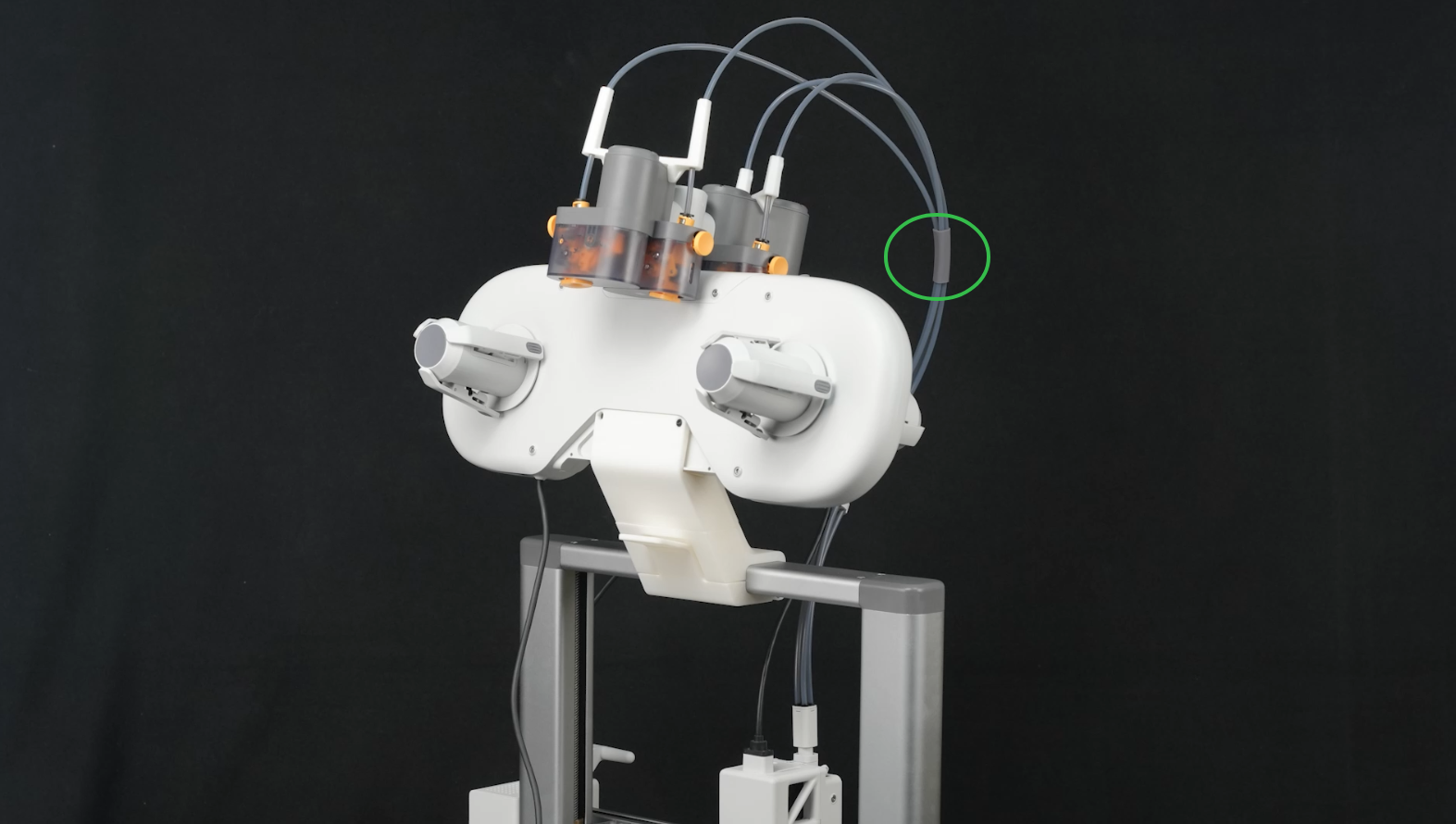
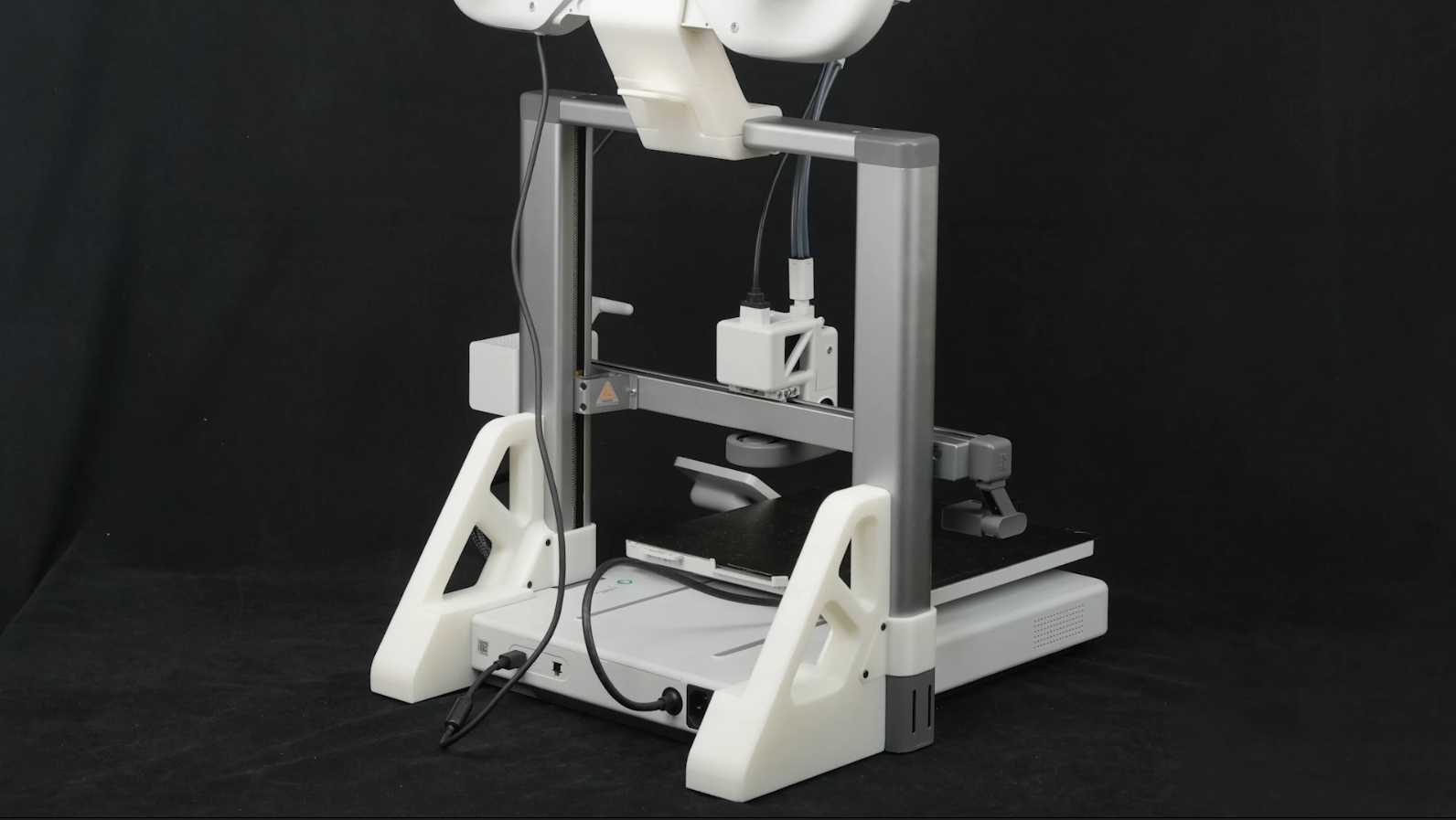
If I install AMS lite on the rail, will the filament spool slide down, or will it affect the accuracy of vibration compensation?
If AMS lite is installed correctly, the filament spool should not slide down, even though the previous two spools are tilted slightly forward. In addition, to avoid affecting the accuracy of vibration compensation, you can add reinforcement to the column.
What is the total height (printer + holder + AMS Lite + PTFE tubes) after installing AMS Lite on the crossbeam support structure?
The total height after installation is approximately 80 cm.
Can you use multiple AMS lite units with the A1 for prints with up to 16 colors?
The A1 supports only one AMS lite unit, which means it can print with a maximum of 4 colors.
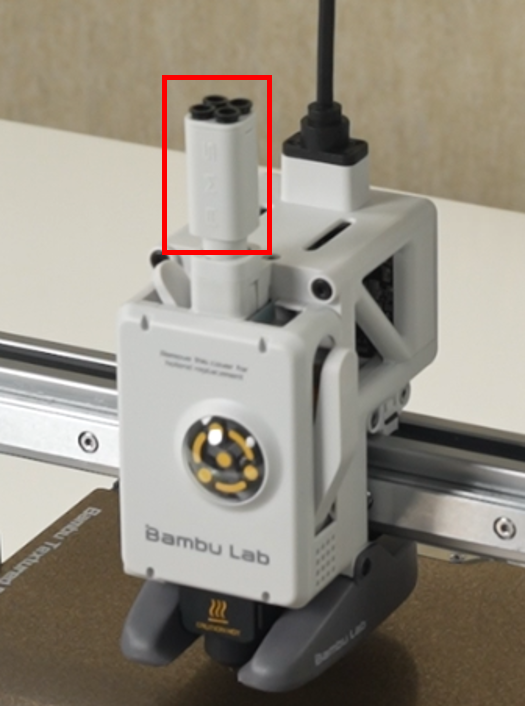
The A1 supports a maximum of one AMS lite unit, so why is there an additional 4-pin connector?
This interface is reserved for future product expansions and/or additional functionality.
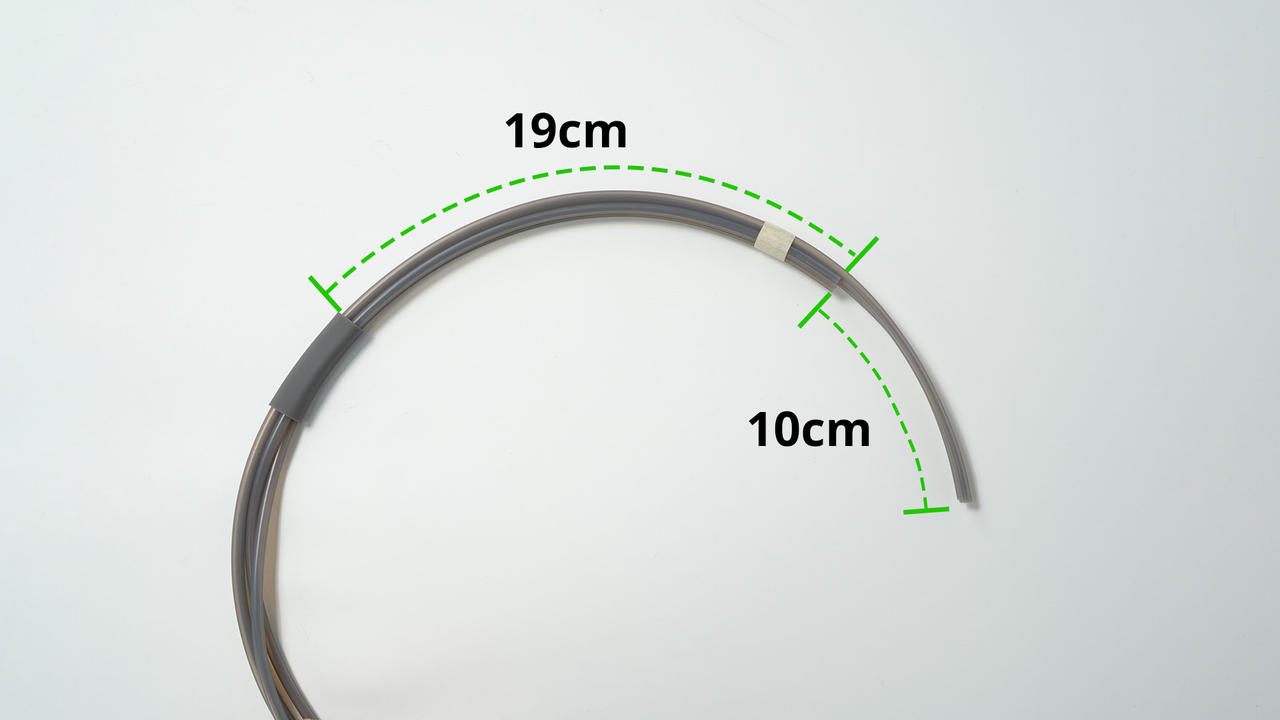
How should the PTFE tubes be oriented to minimize resistance?
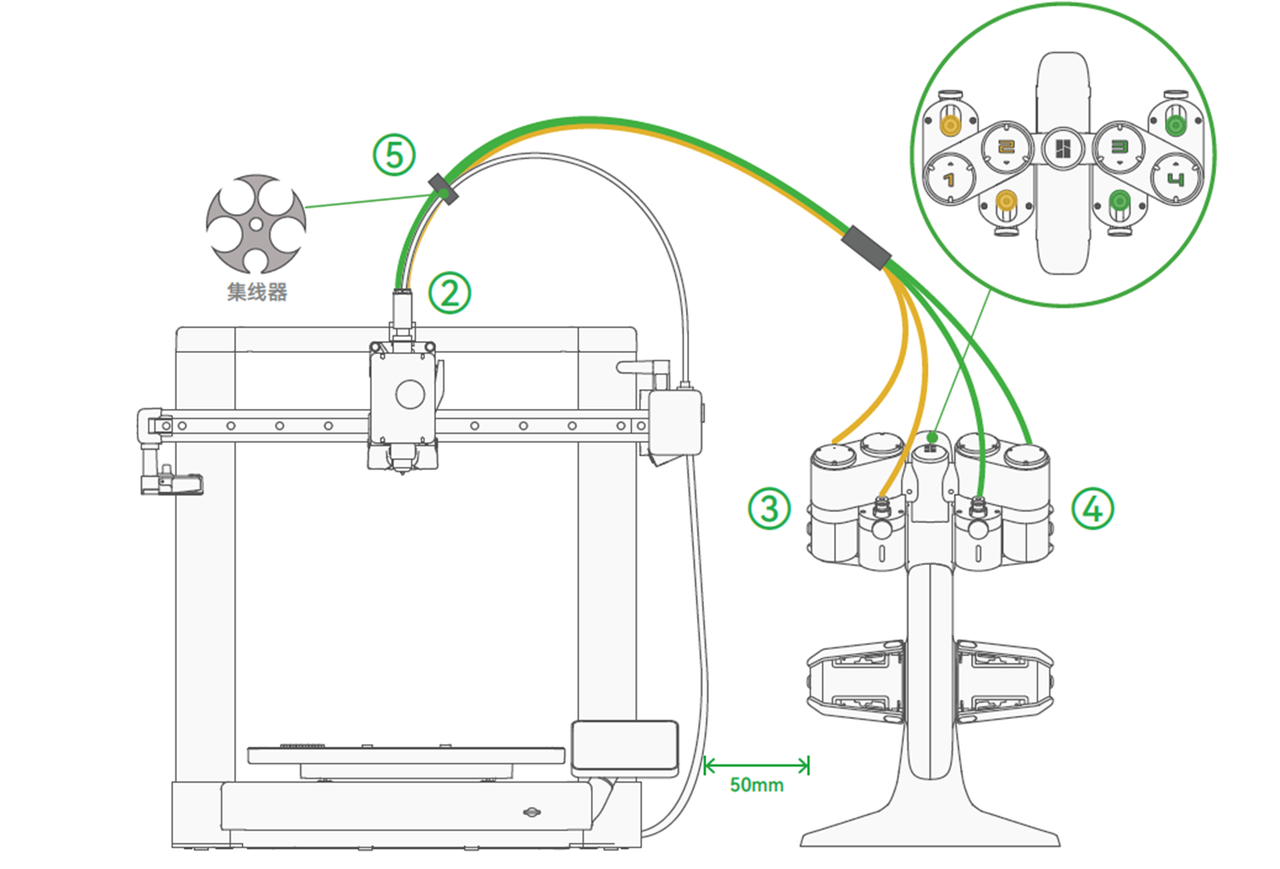
What is the total space requirement in X, Y, and Z for the A1 + AMS lite?
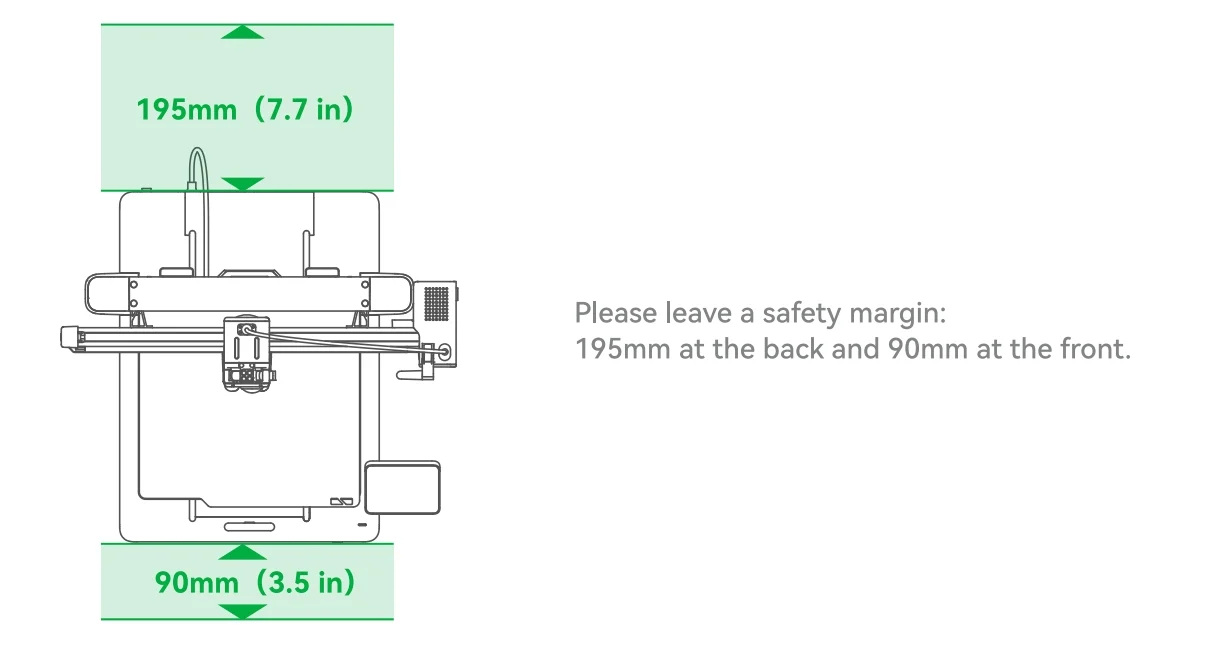
How much space should be reserved for the A1 heated bed to move forward and backward from the printer?
As shown in the diagram, when positioning the printer, leave sufficient safe space for the heated bed to move in the Y direction, approximately 410 mm + 90 mm + 195 mm = 695 mm.
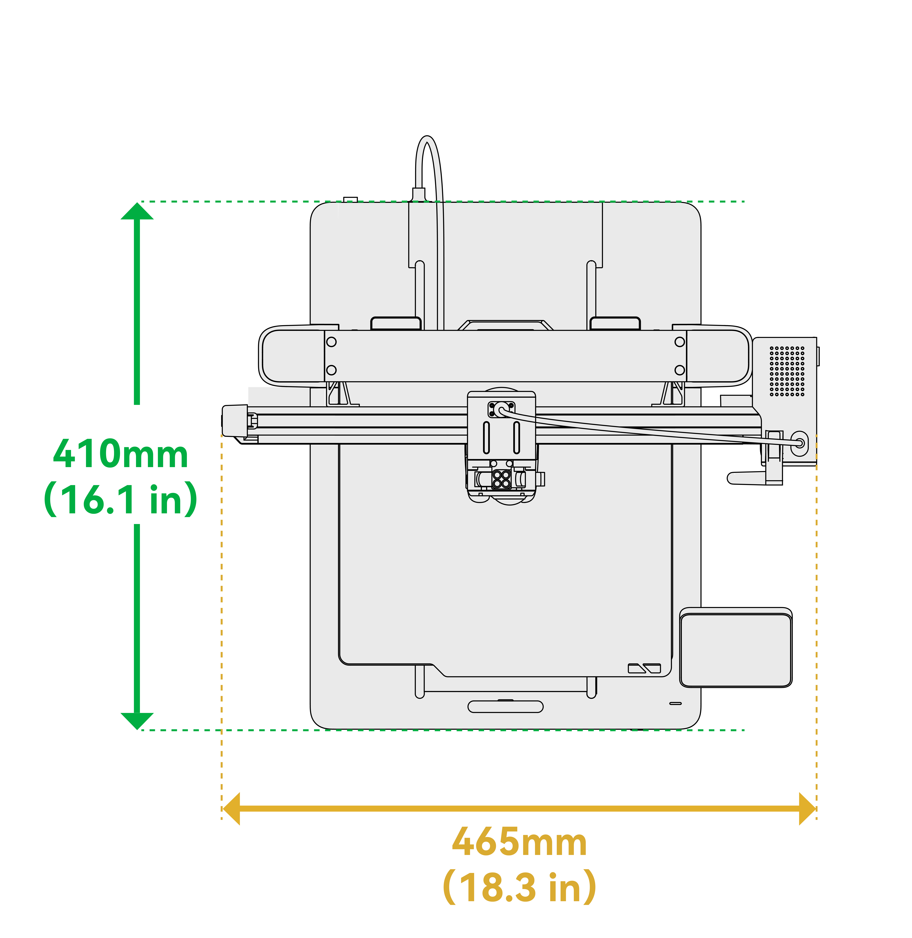
How much space should be left behind the heated bed to prevent damage to the heated bed cable?
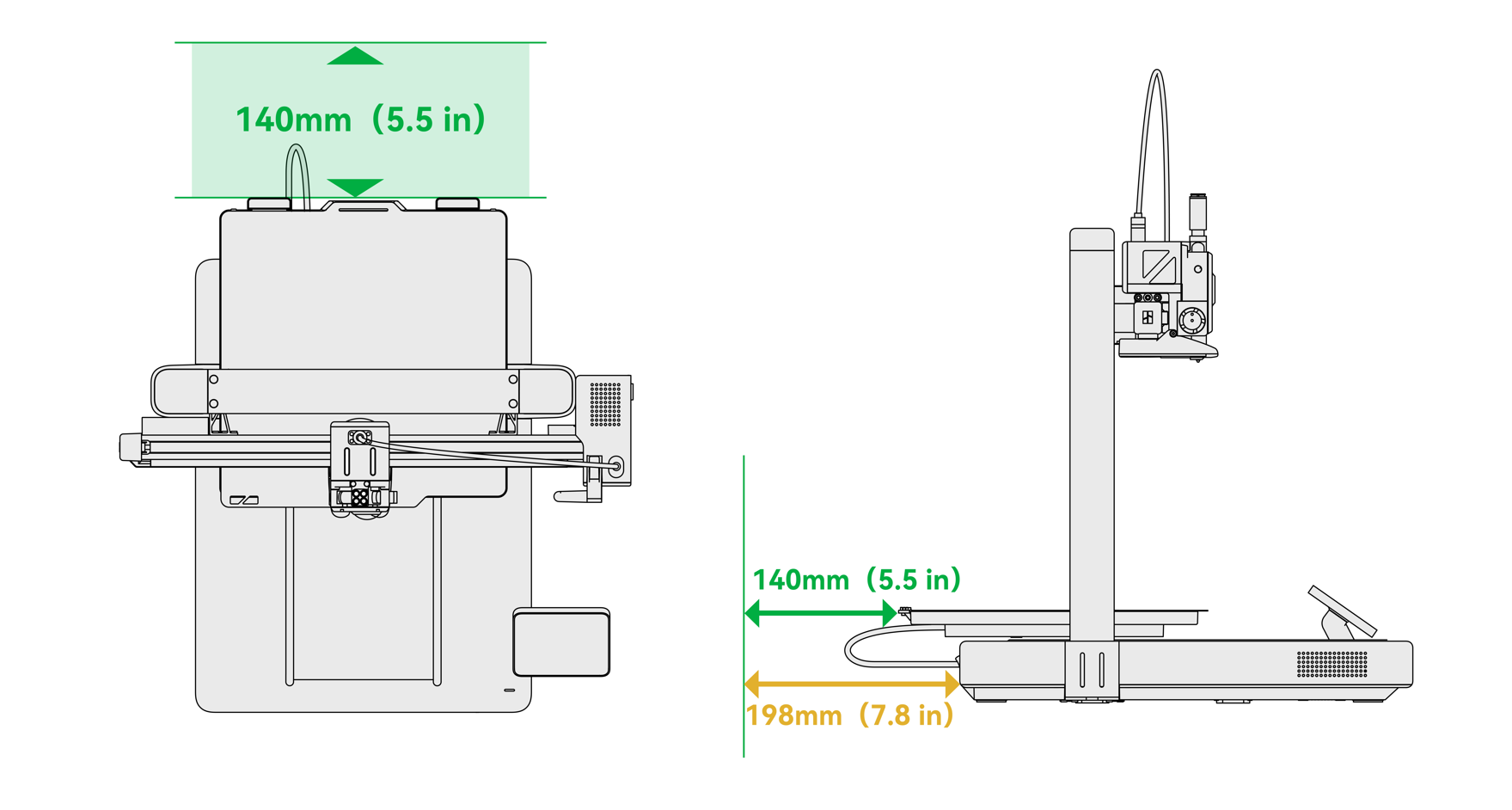
What is the recommended ambient temperature for the A1 printer?
The recommended ambient temperature for the A1 printer is 10-30 degrees Celsius.
What different build plates are available for the A1 printer?
When unpacking the A1 printer, a textured PEI plate is included. The official store offers smooth PEI sheets or other build plates the same size as the A1 printer, but using any build plate other than the Bambu Lab textured PEI plate on the A1 printer is not recommended. This is because other build plates may have slightly weaker magnetic adhesion to the A1 heated bed, unless the user has low requirements for the heated bed's magnetic adhesion.
What materials can be printed on the textured PEI plate?
The textured PEI plate can print various materials, such as PLA, PETG, and TPU, without glue. After printing is complete, wait until the build plate has completely cooled down before removing the printed model. It is recommended to clean the build plate with warm water and regular soap to maintain optimal adhesion.
Can the A1 print without a microSD card and use only Bambu Studio/Handy?
No, the A1 does not have built-in storage, so you must insert a microSD card to send a print. The printer comes with a pre-installed 32 GB microSD card.
What is the maximum size and format of the microSD card that the A1 can use?
The A1 supports a microSD card with a maximum capacity of 2TB if it is formatted using the printer's formatting option. For more information about frequently asked questions related to the microSD card, please see this page.
What does the white LED on the printer body next to the screen mean?
A flashing white LED indicates that messages from the AI assistant are available for review; steady white lights mean that the system status is normal.
How can we adjust the print speed on the A1?
You can set the print speed in Bambu Studio when slicing on the speed page. During printing, you can change the speed mode (silent, standard, sport, turbo) on the printer, Bambu Handy, or Bambu Studio. It is important to note that Sport and Turbo modes require higher hotend temperatures for the best results, and we recommend setting a higher speed in the slicer.
How does the printer respond when the filament runs out?
The A1 uses a Hall-effect filament sensor to determine whether the filament has run out. The A1 supports filament runout detection and can resume printing after the filament is replaced. When used with AMS lite, the A1 can be configured to use backup filament as a replacement after the current filament runs out.
How does the printer respond to a power outage?
After turning the printer back on, you can select resume printing after a power outage, allowing the A1 to continue and complete the interrupted print job.
Can all A1 speaker sounds be turned off?
Yes, the sound can be turned off in the printer settings.
Is pausing at a specific layer height available?
Yes, pausing at a specific layer height is available and can be performed in Bambu Studio.
Is a spool holder included if the customer did not purchase the AMS combo?
A spool holder is included as an accessory and must be installed by the user after unpacking.
What is the flow rate when printing TPU?
We have a TPU printing guide available, and you can find more information in this document. We also recommend consulting our filament guide for further information about filament parameter settings.
Where is the best place to position the purge tower?
Near the purge wiper – on the left side (this prevents waste or scraps from getting onto the build plate or the Z-axis and saves tool travel time during filament changes.)
Is it okay to enclose the A1?
We do not recommend enclosing the A1.
What is the firmware update process?
Firmware updates will occasionally be released to improve functionality and fix the software running on the machine. The printer will check the cloud for available updates and display a pop-up notification when they are available.
Does the A1 have automatic step loss recovery?
Yes, the A1 supports automatic step loss recovery; you can enable this function on the print options page.
Is there a suitable tool for removing the tubes from the toolhead?
If you find removing the PTFE tube from the toolhead impractical, you can print this model to help with the operation.
ptfe_tool.3mf
How do I turn off the sound effects before and after printing?
The sound effect can be turned off in “Main Menu – Settings – Print Options.”
If the printer's Type-C cable gets stuck in the pillar during printing or the lock breaks, how can it be repaired?
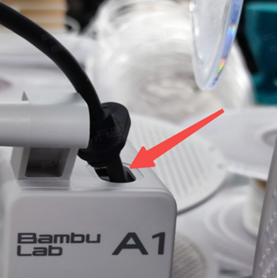
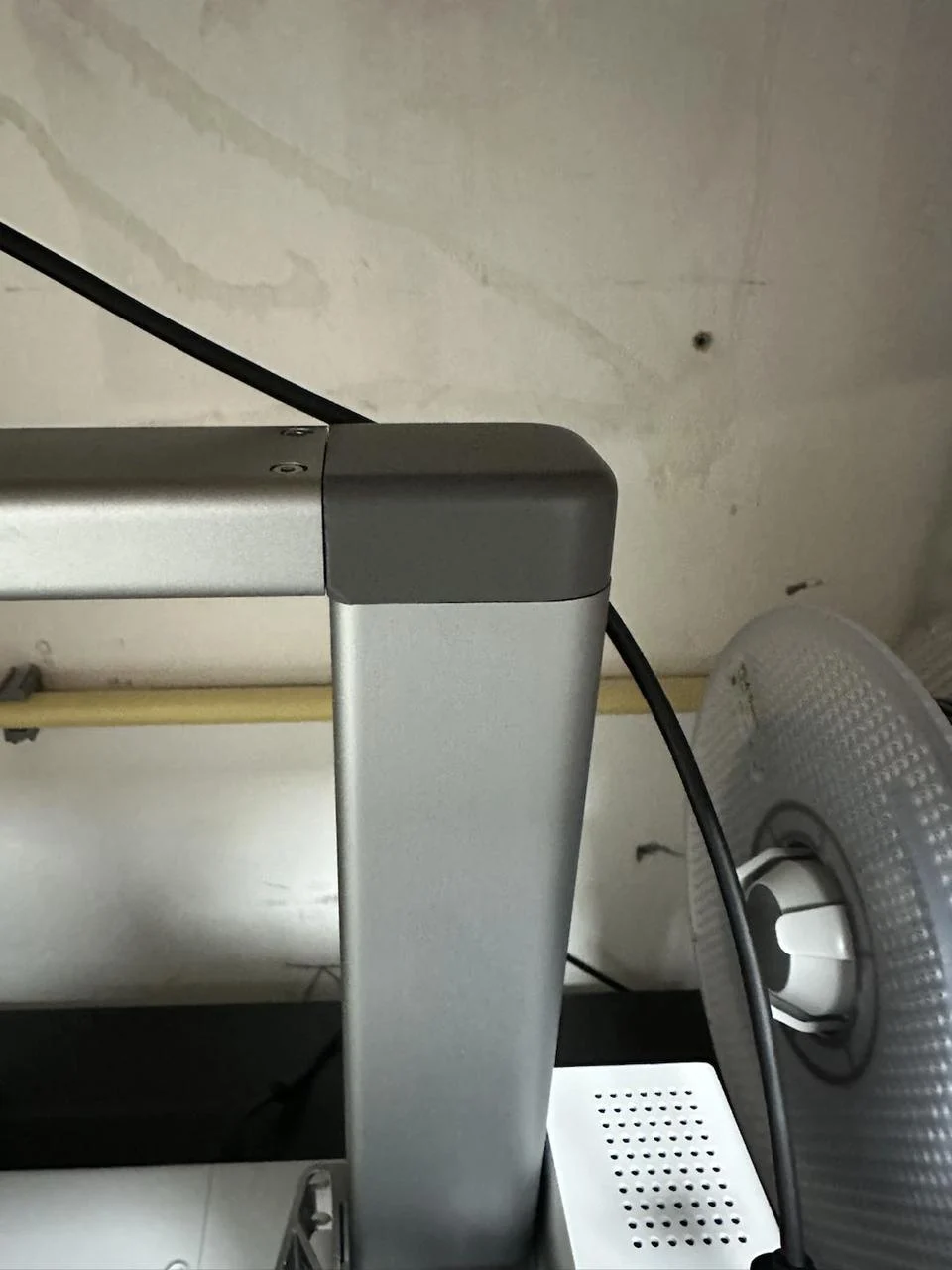
The detachment may be caused by incorrect installation of the hub or spool holder. The hub should be positioned close to the toolhead, but not too low. The optimal position is to align the edge of the hub with the lower edge of the beam after the hub comes into contact with the hotend and heated bed. This minimizes the likelihood of the hub catching on the Z-axis in this position.
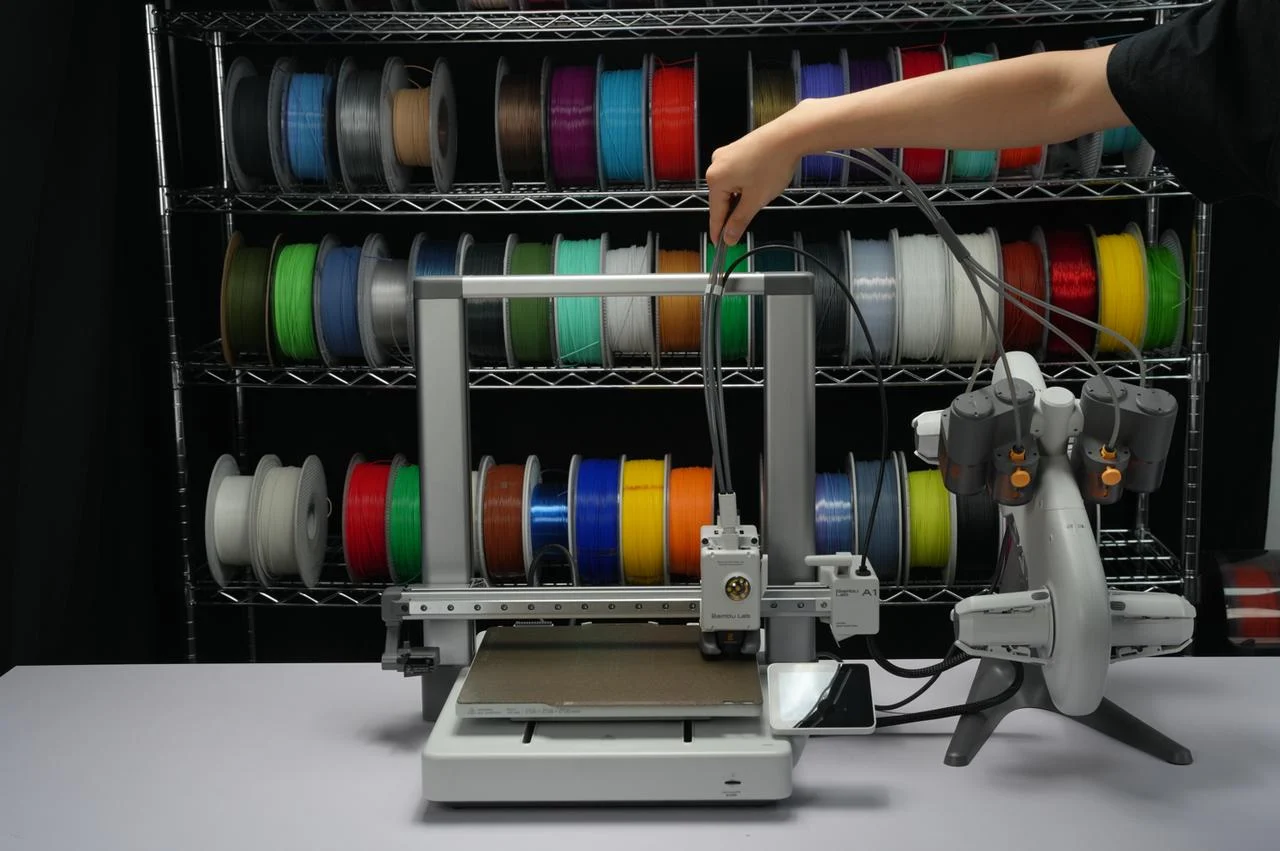
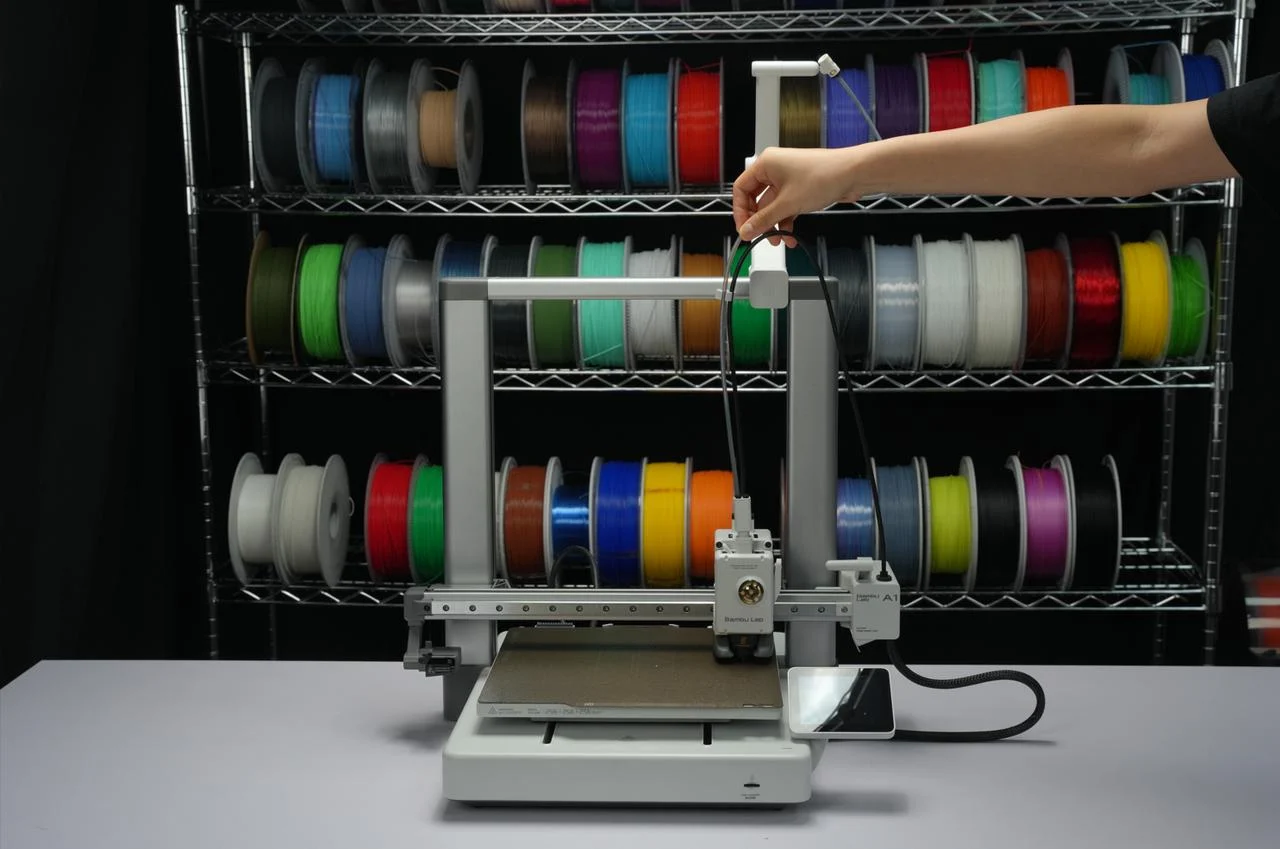
When using an external filament spool, it is recommended to secure the holder slightly to the right of the center of the beam, so that it touches the right side of the beam.
If it is reinstalled in its place after being disconnected, it can still be used normally without any impact.
Finally, you can print a model for organizing the USB-C cable and preventing it from hanging on the pillar.
I am not satisfied with the first-layer print quality. Can you give me some advice?
If the first-layer print quality is unsatisfactory, it may be because automatic calibration was not performed or because a different build plate was used that differs significantly from the one used during calibration. I recommend consistently using the same build plate and running the “Auto Bed Leveling” function during automatic calibration.
In general, it is recommended to perform bed leveling every time you change the build plate to achieve better first-layer print quality.
How do I install the scraper blade for the heated bed?
Please see our installation video for instructions.
Final notes
We hope you found this detailed guide helpful and informative.
We want to make sure that you can carry out the procedure safely and effectively. If you have any concerns or questions about the process described in this article, please contact customer support before starting the operation. Our team is always ready to help and answer any questions you may have.
We will do our best to respond as soon as possible and provide you with the assistance you need.


