Kostenloser Versand ab 1 999 Kč
Schneller Versand
Verifizierter Shop
Tausende Kunden




Kostenloser Versand ab 1 999 Kč
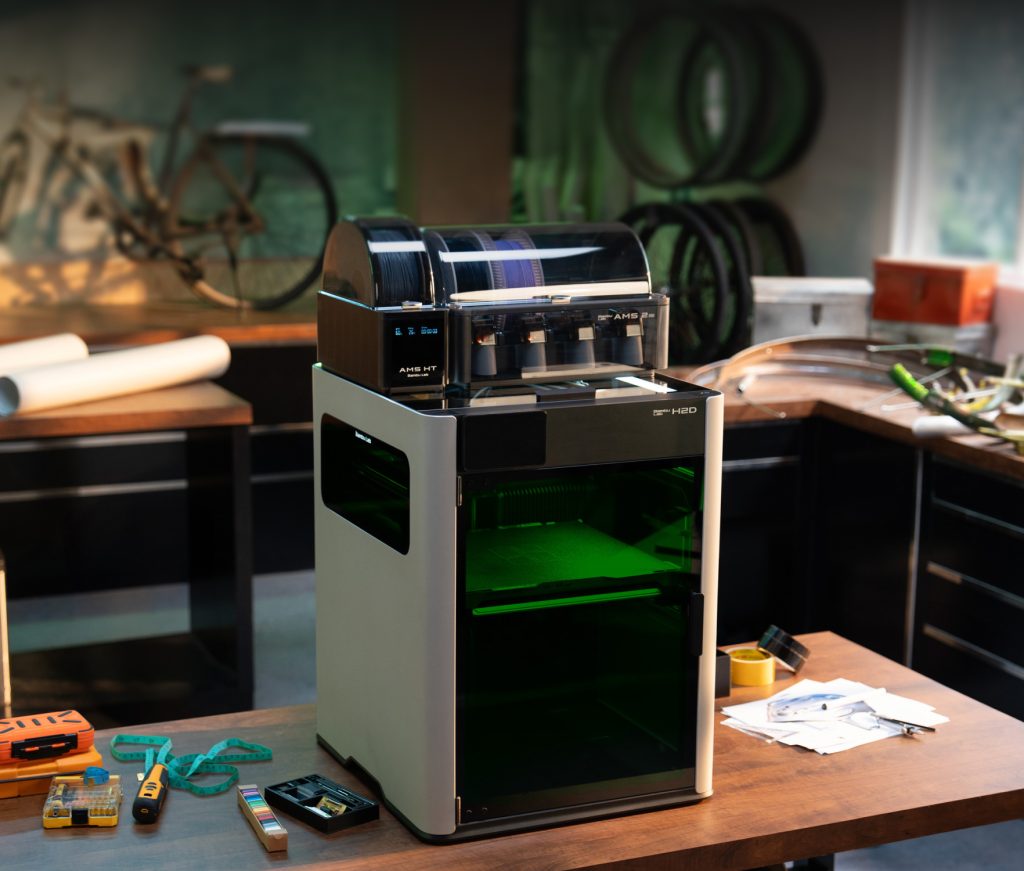
Until recently, the home workshop was fairly clearly divided. The 3D printer printed plastic parts, the laser engraved or cut wood, and the plotter cut stickers. All-in-one machines are trying to change this arrangement: one enclosed machine, one work area, interchangeable tools and the ability to combine several manufacturing processes in a single project.
Bambu Lab H2D is a good example of why there is so much interest in this category. It is not just a larger 3D printer. In its laser versions, it can engrave, cut selected materials, work with a cutting knife and draw with a pen. This sounds like a dream come true for creatives, schools or small workshops. However, with a machine that combines a hot nozzle, laser, smoke, dust and precision mechanics, you need to think about more than just the list of features.
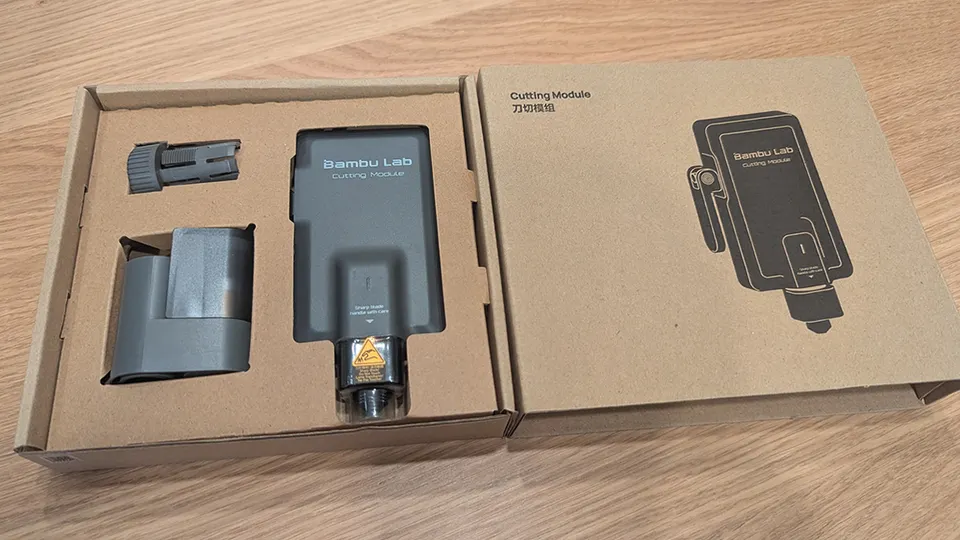
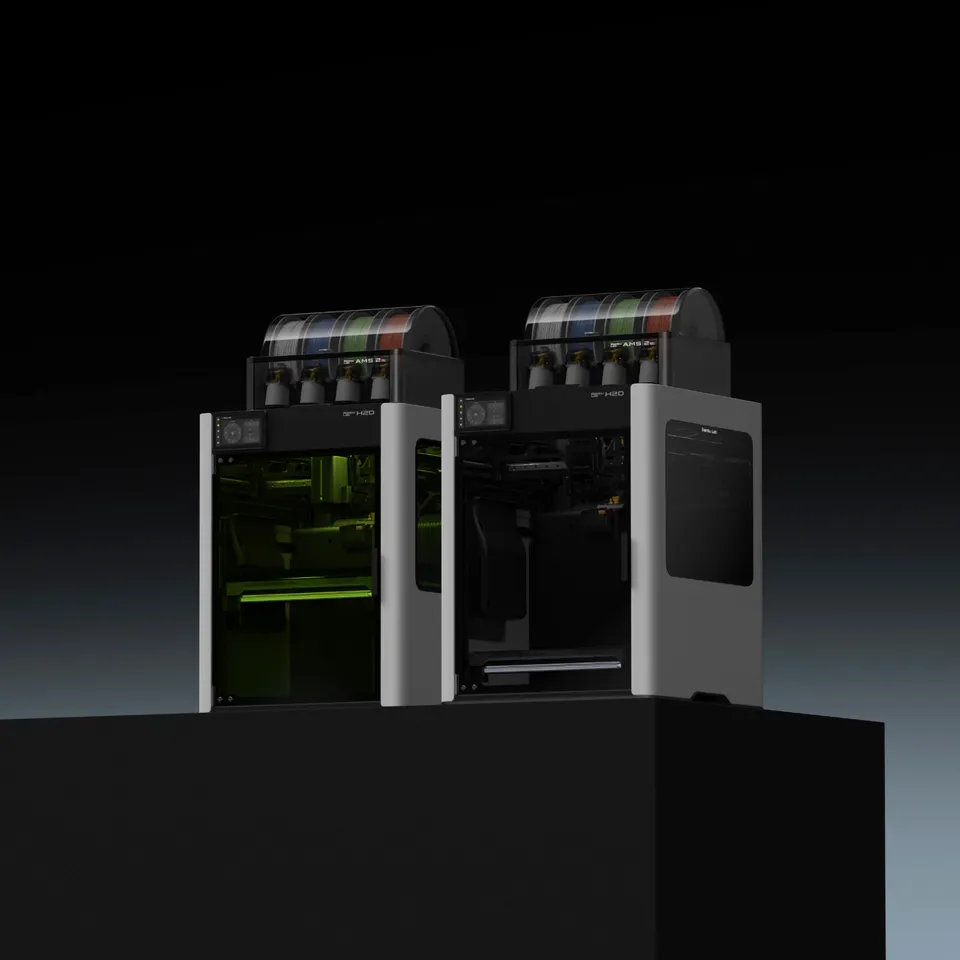
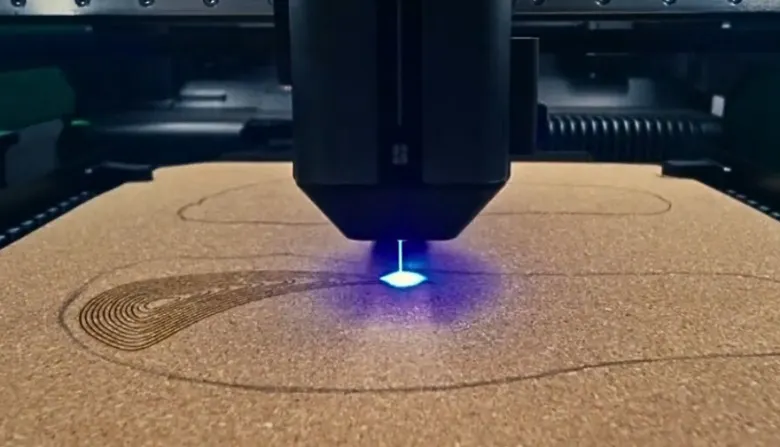
The main idea is simple: the same mechanics that precisely guides the print head can also guide a laser, knife or pen. If you already have a rigid frame, motors, camera, work surface and job preparation software, it makes sense to use them for other operations as well.
In practice, this means you can print a plastic part, leave it in the machine after completion, and then engrave a logo, label or marking on it. You can cut a template from thin plywood, create a paper package, cut a vinyl sticker or label a series of parts with a pen. The biggest benefit is not that the machine can do four things. The benefit is that it can combine them without complicated manual re-measuring.
This is important, for example, for small production runs. Imagine an electronics enclosure: you print the body from PETG, mark the front panel with a laser, stick a cut-out label inside and add a paper insert cut with a knife to the packaging. Separate machines can do this too, but they take up more space and require more moving, adjusting and checking.
An all-in-one solution makes the most sense where a variety of smaller projects are produced. This typically includes model makers, schools, designers, hobbyists, small brands, prototyping workshops and creators of personalized products.
For a school, the advantage is clear: one machine covers more types of teaching. Students design a 3D model, print a holder, engrave a label and cut out a simple paper or vinyl accessory. The teacher does not have to deal with three different devices, three software workflows and three separate work areas.
For a home workshop, space is similarly important. A standalone 3D printer, laser with extraction and cutting plotter are no longer small items for a single table. If you produce things occasionally and do not want to fill the workshop with equipment, a universal machine may be a reasonable compromise.
For small-scale production, it is mainly about personalization. Laser engraving of nameplates, part numbers, markings on fixtures or simple decorations increases the value of a product. A cutting knife is useful for stickers, masking film, paper templates or simple packaging. When these tasks are connected to 3D printing, a practical small-scale production tool emerges.
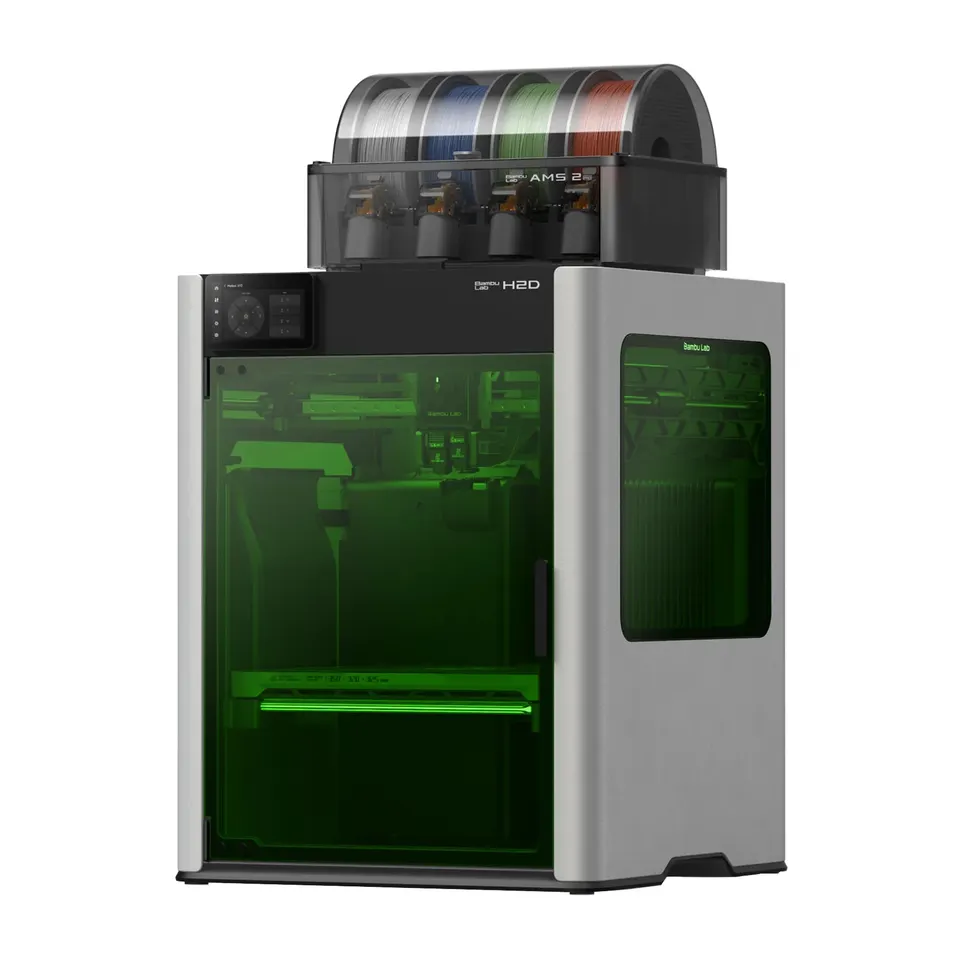
Bambu Lab H2D attracted attention mainly because it is not a cheap add-on stuck onto an ordinary printer. The machine has a large print area, two nozzles, an enclosed design, an actively heated chamber, camera systems and optional work modules. The laser versions include safety windows, ventilation, sensors and an emergency stop.
Size is also important. A print area of around 350 x 320 x 325 mm already allows larger functional parts, cosplay components, fixtures or larger covers that would have to be split on smaller printers. Higher nozzle temperatures and a heated chamber open the way to technical materials such as ABS, ASA, nylon or composite filaments, provided the profiles and conditions are selected correctly.
Laser modules are available in weaker and stronger versions. The lower power is mainly suitable for engraving, thinner materials and finer work. The more powerful module is more interesting for faster engraving and cutting thicker suitable materials, such as thin plywood. The knife cutting module, meanwhile, is aimed at films, paper and similar flat materials.
This combination is precisely what makes H2D an interesting symbol of the new category. It is not just a question of whether it can print nicely. The question is whether it can replace several smaller machines in one box while remaining sufficiently precise, safe and convenient for everyday use.
All-in-one does not mean that you get the best possible laser, the best possible plotter and the best possible 3D printer at the same time. It means a compromise. Often a very useful one, but still a compromise.
The first limitation is the working environment. 3D printing requires clean mechanics, a stable temperature and minimal contamination. A laser produces smoke, odors, burnt material residue and fine debris when cutting. Even with good extraction, you need to allow for cleaning, a filter, ventilation and the correct choice of materials.
The second limitation is safety. A laser is not just another accessory. If used incorrectly, it can damage eyesight, ignite material or create harmful fumes. An enclosed machine with safety features is significantly better than an open frame with a laser on a table, but that does not mean it can be left working unattended. When cutting wood, leather, cardboard or acrylic, it is essential to monitor the material, extraction and the risk of ignition.
The third limitation is power. A diode laser in a multifunctional machine can handle many creative tasks, but it is not the same as a larger standalone CO2 laser. If you want to frequently cut thicker plywood or acrylic, produce hundreds of pieces or work all day, a standalone laser with a larger work area, better extraction and a sturdier bed will be more practical.
The fourth limitation is the operating schedule. When one machine is printing a thirty-hour part, it cannot cut stickers or engrave signs at the same time. This is not a problem for hobby use. In small-scale production, a universal machine can quickly become a bottleneck.
A conventional 3D printer makes more sense if you mainly want to print. If you plan to produce technical parts, replacement components, prototypes, holders, organizers or models and the laser would only be an occasional toy, it is worth focusing your budget on a reliable printer, filaments, material drying and spare parts.
For a beginner, it may be easier to learn 3D printing first. Combining multiple tools adds further settings: laser power, engraving speed, material type, focusing, extraction, knife pressure, cutting mats and cleaning. If you are mainly interested in printing with PLA, PETG or ASA, a universal machine may be more expensive and complicated than you need.
A conventional printer is also a better choice if you already own a laser or plotter. In that case, an all-in-one machine would often merely duplicate functions that already work in your workshop.
A standalone laser is worthwhile if engraving and cutting are the main tasks, rather than an addition to 3D printing. This typically includes producing wooden decorations, signs, boxes, templates, packaging, stamps or customized products. A specialized laser offers a larger work area, better extraction, more convenient material loading and often power better suited to a particular use.
A standalone plotter makes sense for working with films, heat-transfer textile materials, paper or labels. If you cut every day, you will appreciate fast loading of material from rolls, a wider selection of knives and a workflow built specifically around cutting.
An all-in-one machine is therefore strongest in combined projects. A standalone machine wins where you use one technology frequently, for long periods and in larger volumes.
With a laser, the first rule is simple: never work blindly with an unknown material. Some plastics can release hazardous substances when cut. PVC and materials containing chlorine do not belong in a laser. With painted, glued or composite materials, you need to know their composition, not just their color and thickness.
The second rule is extraction. A filter or exhaust to the outside is not a luxury, but part of safe operation. Laser smoke is not just an unpleasant smell. It contains particles and chemicals depending on what you are cutting or engraving. In an apartment, classroom or shared workshop, you need to consider where the air is going and who is breathing it.
The third rule is supervision. A laser job may be short, but that is precisely why it is easy to underestimate. The material may warp, shift, catch fire or behave differently from the profile. An emergency stop, sensors and a protective cover help, but they do not replace a person being present.
A well-designed project uses each technology where it is strongest. For example, a tool holder: print the body from a strong plastic, mark the tool positions with a laser and cut drawer stickers with a knife. Or a gift box: print a custom-fit insert, cut out a paper package and engrave a name on a wooden tag.
For electronics, the machine can print an enclosure, engrave connector labels and cut insulating films. For model making, it can handle plastic parts, painting templates and engraved details. At school, one project can combine CAD modeling, materials, workplace safety and basic manufacturing technology.
These are situations where it is not just about saving space. The value lies in thinking about the product as a whole, rather than as separate tasks for different machines.
First, write down what you will do every week, not once a year. If the answer is mainly 3D printing, consider a conventional printer with a good ecosystem and perhaps a standalone laser later. If you often combine plastic parts, labels, engraving and cut-out accessories, an all-in-one starts to make sense.
Then consider the operation. Add filters, exhaust, materials, work mats, spare knives, maintenance and space around the machine to the machine's price. The laser version may need more space behind the machine for air extraction. At a school or shared workshop, also add rules, training and supervision.
Finally, check the software. With multifunctional machines, good hardware is only half the story. You need convenient job alignment, sensible material profiles, a work-area preview and clear safety checks. If the software feels unfinished, every combined job may be slower than you expect.
All-in-one 3D printers with a laser and plotter are not just a marketing curiosity. They can be very practical for a creative home workshop, school or small prototyping operation. They stand out most where technologies are combined: printing plus engraving, printing plus stickers, cut templates plus functional parts.
At the same time, they do not replace specialized machines in every situation. Those who mainly want to print will often save money and hassle with a conventional 3D printer. Those who mainly want to cut and engrave will appreciate a standalone laser. And anyone who cuts films every day will be happier with a standalone plotter.
Bambu Lab H2D shows the direction: home and school manufacturing can move from a single technology toward a small production center. But the future of the home workshop will not lie in one machine magically solving everything. It will lie in smart tool selection based on actual projects, safe operation and the ability to combine 3D printing, engraving and cutting into products that make sense.


