Envío gratis desde 1 999 Kč
Envío rápido
Tienda verificada
Miles de clientes




Envío gratis desde 1 999 Kč
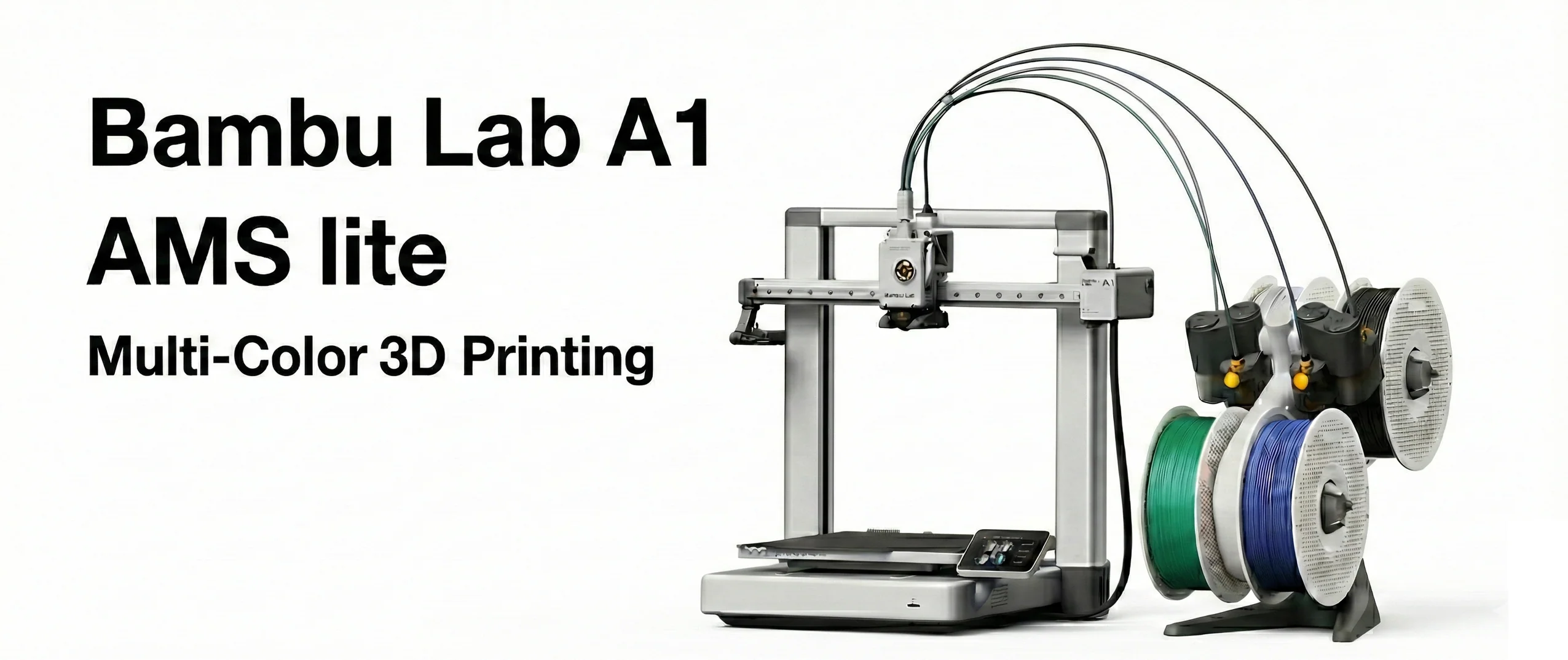
Automatic filament feeders from Bambu Lab can make a single printer significantly more convenient. You do not have to change spools manually, you can print in multiple colors, set a backup spool of the same material, and with some models also keep filament in better conditions. However, the names AMS Lite and AMS 2 Pro sound similar, even though they are two quite different devices.
The short answer: AMS Lite is a simpler and cheaper solution mainly for the A1 series, while AMS 2 Pro is an enclosed, more powerful system with active drying and broader compatibility. If you mainly print PLA decorations in 2 to 4 colors on an A1 or A1 mini, AMS Lite is often sufficient. If you are dealing with humidity, PETG, technical materials, broader expansion, or X1, P1, P2, or H2 printers, AMS 2 Pro makes more sense.
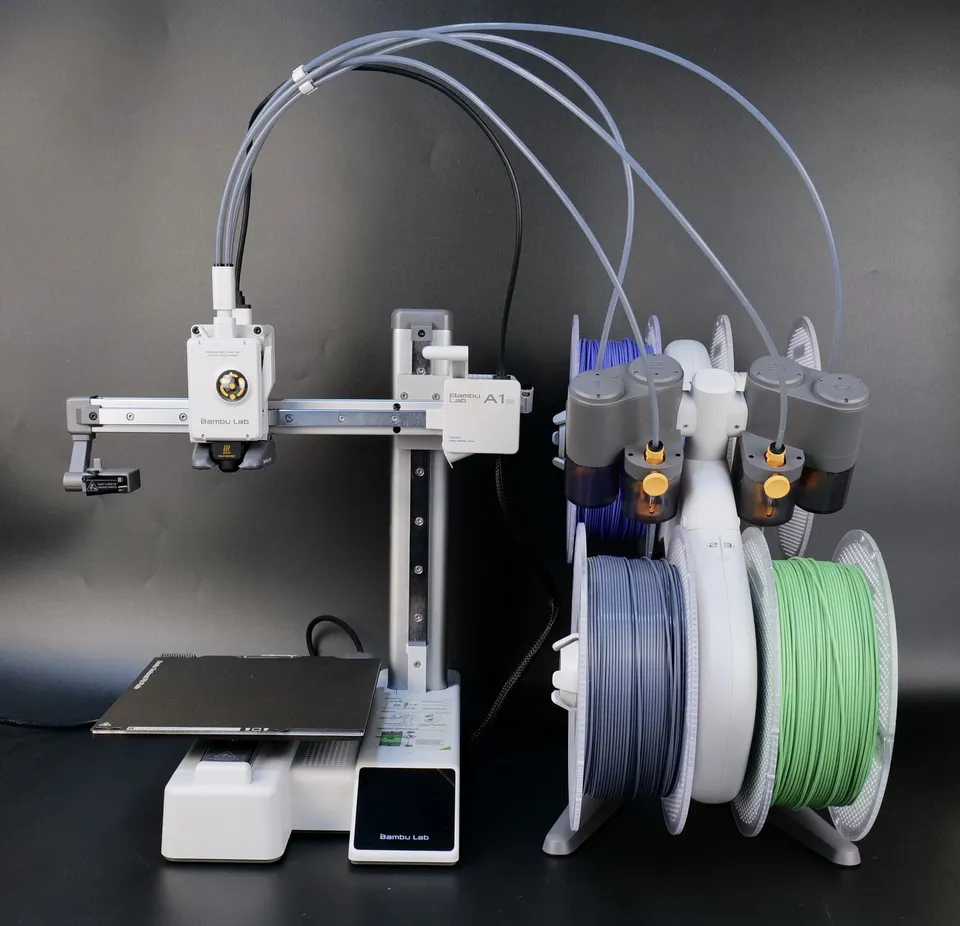
AMS Lite is an automatic system for four filament spools. It is open, with the spools hanging on holders, and the filament is guided into the printer through PTFE tubes. It is designed mainly for users who want a simple entry into multicolor printing without a large box next to the printer.
In practice, this means you can load, for example, red, white, black, and blue PLA and assign the colors to individual parts of the model in the slicer. The printer then switches the filament automatically during printing. AMS Lite also supports filament backup: when you have two identical spools, it can continue from the second one after the first is used up.
The main advantages of AMS Lite are its simplicity, low weight, accessible spools, and good suitability for standard PLA and PETG prints. The disadvantage is that it is not an enclosed dry box. The filament is exposed to ambient humidity, so with hygroscopic materials you have to handle drying separately.
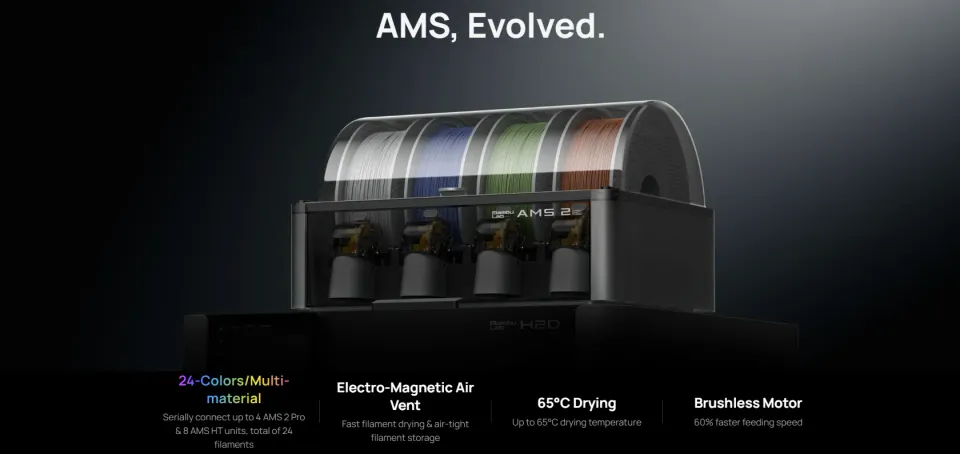
AMS 2 Pro is a more advanced automatic system for four spools. Unlike AMS Lite, it is enclosed and features active filament drying. The manufacturer states that it can dry at up to 65 °C, actively remove moisture through ventilation openings, and automatically rotate the spools during drying so that the material is heated more evenly.
For users, this is not just a matter of convenience. Moist filament causes bubbling, stringing, a poorer surface, more brittle prints, and sometimes nozzle clogging. This may be less noticeable with PLA, but with PETG, PA, PC, or support materials, the difference is often very significant. AMS 2 Pro is therefore not just a color changer, but also a storage and drying station for filaments that are more sensitive to moisture.
AMS 2 Pro also supports RFID reading for official Bambu Lab spools. With compatible materials, the system can automatically identify the filament type and color and use suitable drying settings. With third-party filaments, the values are set manually, which is normal and works without problems for most users.
The biggest difference is the design. AMS Lite is an open holder with four spools. AMS 2 Pro is an enclosed unit with drying. This alone is decisive for many customers: in a dry room and when printing PLA, AMS Lite may be perfectly adequate, but in a humid workshop or when frequently printing PETG, an enclosed system with active drying is a major advantage.
The second difference is compatibility. AMS Lite is mainly intended for the A1 series, and with a standard setup you should expect one AMS Lite, meaning four positions. AMS 2 Pro is intended for the broader Bambu Lab ecosystem, but with a specific printer, the required hub, adapter, and power supply depend on the model. The correct accessories are required to use AMS 2 Pro with the A1 series. With the X1 and P1 series, the power supply for drying is handled through a separate adapter.
The third difference is material handling. AMS Lite is excellent for standard colored PLA, simple PETG, and decorative prints. AMS 2 Pro makes more sense when you want to keep materials that are more sensitive to moisture ready in the device or when you print more technical parts: PETG workshop components, ASA covers, support materials, PA, or PC.
The fourth difference is expandability. AMS Lite is typically a solution for 4 colors. In supported setups, AMS 2 Pro can be combined with additional AMS units, making it suitable for users who want more than four materials ready to use. Before purchasing, however, it is necessary to verify the specific printer model and required accessories, because the limits differ by printer series.
With AMS Lite, mainly expect compatibility with A1 series printers, typically the A1 and A1 mini. With newer models, it is always a good idea to check the current compatibility table, as Bambu Lab firmware and accessories continue to evolve. The important point is that AMS Lite is not a universal box for all Bambu Lab printers.
AMS 2 Pro is more universal in terms of the ecosystem. The manufacturer lists it as compatible with a wider range of Bambu Lab printers, but practical compatibility has several caveats:
In other words: AMS 2 Pro is the better choice for future growth, but before ordering, you need to check the entire chain: printer, hub, cables, power supply, and the number of planned units.
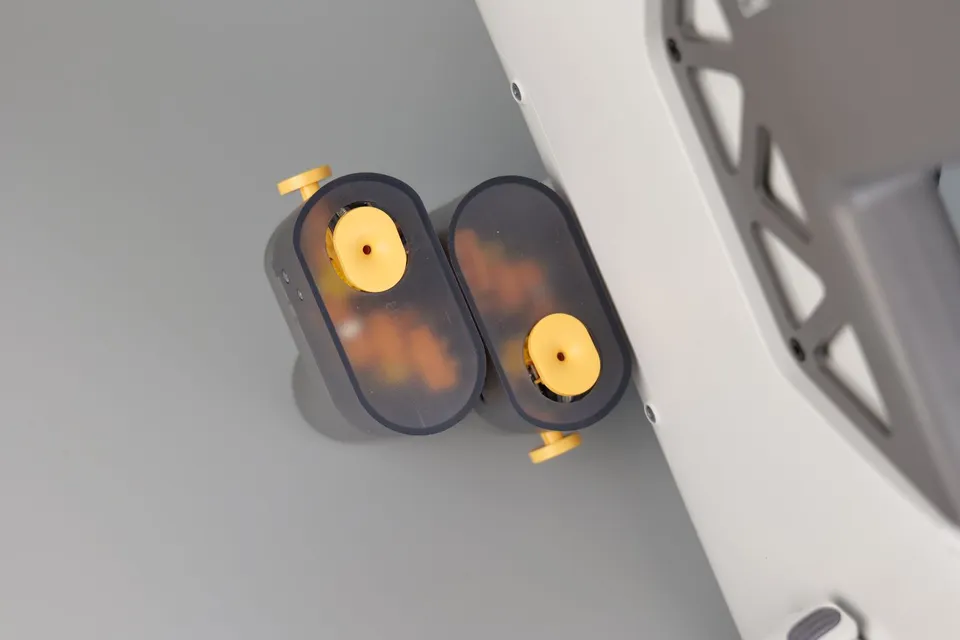
With AMS Lite, the key requirements are a spool width of 40 to 68 mm and an inner hole diameter of 53 to 58 mm. Thanks to its open design, it handles different spool shapes better than an enclosed box, but you still need to monitor the dimensions and ensure smooth unwinding.
With AMS 2 Pro, the requirements are similar to those of a standard enclosed AMS: the spool should be 50 to 68 mm wide and have an outer diameter of approximately 197 to 202 mm. This is especially important with paper spools and less common brands. If the spool is too large, the lid may not close or the spool may not rotate properly. If it is too light, damaged, or has soft edges, unwinding may be impaired.
In terms of materials, both systems work best with standard rigid filaments such as PLA, PETG, ABS, ASA, or support materials intended for AMS. Soft materials such as standard TPU and TPE, on the other hand, can be problematic because they may get stuck or deform in the feeding paths. For ible filaments, it is often better to use an external holder and guide the filament directly into the printer according to the manufacturer's recommendations.
Be careful with abrasive materials containing carbon or glass fibers. Some official composite filaments are optimized for AMS, but general CF or GF materials may excessively wear the feeding paths. If you frequently print technical composites, consider not only the AMS, but also a suitable nozzle and the entire material path.
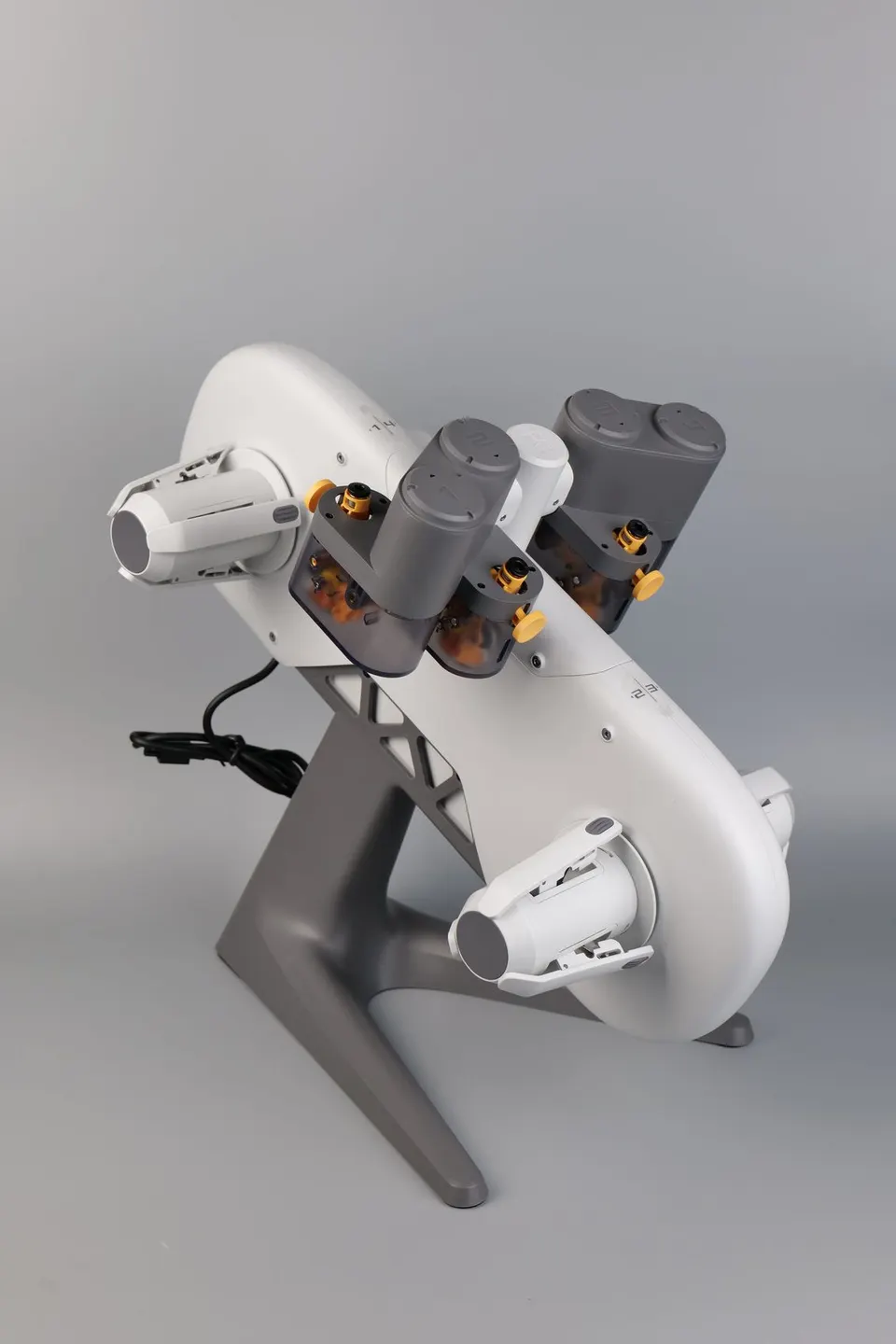
AMS Lite makes the most sense if you have an A1 or A1 mini and mainly want convenient multicolor printing. Typical uses include a logo, sign, name tag, decoration, colored figurine, simple gift, or practical part with text.
Choose AMS Lite if:
Example: you have an A1 mini in your study, print PLA signs for children, colored labels for the workshop, and occasionally a model made of multiple parts. AMS Lite is exactly the type of accessory that simplifies your work without unnecessarily complicated installation.
AMS 2 Pro is the better choice for users who want more than basic four-color printing. You will notice the greatest benefit when printing frequently, in more humid environments, and with materials that react sensitively to moisture.
Choose AMS 2 Pro if:
Example: you have a P1S or X1C, frequently print PETG parts for customers, and want black, white, gray, and support material always ready. AMS 2 Pro will save you time while also helping keep the filament in better condition.
An AMS system is not magic without trade-offs. Every color change means retracting one filament, loading the next, and purging the nozzle. With models involving hundreds of color changes, both printing time and the amount of waste will increase.
Practical advice: if you want to print efficiently, design models so that colors change in larger blocks rather than in every layer. This works excellently for text, logos, or labels. With a small figurine containing many color details, the material consumption for purging can be surprisingly high.
AMS is also excellent for something that may not seem as impressive at first glance: convenient printing with multiple materials of the same or a similar color. You can have different types of PLA, PETG, and support material ready, or set up a backup of the same filament for a long overnight print.
If you are buying an A1 or A1 mini as your first printer and are interested in multicolor printing, get the AMS Lite in a combo if the price difference makes sense. It is the simplest way to start using automatic filament changes.
If you already know that you will be dealing with humidity, printing more technical materials, or eventually moving to a larger Bambu Lab printer, consider the AMS 2 Pro. It requires more careful checking of the accessories, but offers better future-proofing.
If you already have an AMS Lite, you do not need to replace it immediately. It is still very practical for PLA and standard multicolor prints. Upgrading to AMS 2 Pro makes sense only when the open design bothers you, you want active drying, or you are running into the limit of four spools.
AMS Lite is a simple, affordable, and very good accessory for the A1 series, especially for PLA and standard multicolor prints. AMS 2 Pro is a more advanced solution for users who want an enclosed system, active drying, broader compatibility, and better expansion options.
There is therefore no universal best choice. For your first multicolor prints on an A1 mini, the simplicity of AMS Lite wins. For humid environments, technical materials, frequent operation, and a setup that can be expanded over the long term, AMS 2 Pro is the better option.


